

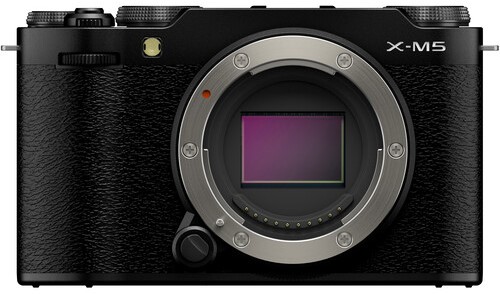
Any creator who has spent time shooting with a smartphone eventually hits the same crossroads: is it time to move up to a dedicated camera? Smartphones are incredible tools, always with you and packed with intelligent processing. But they can also feel limiting when you’re trying to create richer images, cleaner audio, or more polished video. This is usually when the Fuji X-M5 enters the conversation, especially for people who want something lightweight and approachable without giving up serious creative control.
What makes the Fuji X-M5 especially interesting is how it caters to modern creators. It’s built on a large APS-C sensor, packs in the latest Fujifilm color science, and includes vlogging-friendly features like Product Priority mode and 6K open-gate recording. On paper, it feels like a major step up from a phone. But the real question isn’t about specs — it’s about whether the experience and results justify the upgrade for the kind of content you want to create.
As someone who uses both a smartphone and dedicated cameras, I see this decision come up constantly among new creators and even seasoned photographers. Smartphones win for convenience, but a camera like the Fuji X-M5 offers room to grow, to experiment, and to build a look that feels uniquely yours. In this article, we’ll break down how both systems compare and help you decide whether making the jump is worth it.
Table of Contents
- Sensor Size: The Biggest Difference You Can’t See on a Spec Sheet
- Color Science and Film Simulations: Fujifilm’s Creative Edge
- Autofocus, Subject Tracking & AI Tools
- Lenses and Optical Flexibility
- Video Capabilities: 6K Recording and Creator Tools
- Audio Features and Why They Matter
- Handling, Usability & Design
- Connectivity and Workflow
- Price, Value & Buying Used Through MPB
- Final Verdict
- FAQ
Sensor Size: The Biggest Difference You Can’t See on a Spec Sheet
The biggest advantage the Fuji X-M5 has over any smartphone is its sensor. The APS-C sensor inside the camera is more than 16 times larger than the typical sensor inside a modern phone. That difference alone changes everything about the way your images look. Larger sensors capture more light, produce cleaner files in low-light environments, and retain more detail when you start editing.
Smartphones compensate for their smaller sensors through computational photography. They blend multiple images, apply noise reduction, and sharpen aggressively to create the illusion of higher image quality. While these tricks work surprisingly well, they don’t replace the organic detail you get from the Fuji X-M5’s dedicated sensor, especially when shooting in dim interiors, at night, or during golden hour.
Depth of field is another major factor. With the Fuji X-M5, background blur comes from actual optical physics, not software masking. Smartphones often do an impressive job, but look closely and you’ll still see odd transitions around hair or challenging edges. With a dedicated lens on the Fuji X-M5, you get natural separation, smoother transitions, and a more cinematic appearance that creators often associate with professional work.
Color Science and Film Simulations: Fujifilm’s Creative Edge
Fujifilm’s color science has earned a devoted following, and the Fuji X-M5 continues that tradition. The camera includes 20 film simulations that emulate classic Fujifilm film stocks. These aren’t simple filters layered on top of your image. They’re deep color profiles built into the camera’s processing pipeline, shaping tones, contrast, and color response at the sensor level.
Smartphone filters typically work by shifting hues and applying contrast curves after the image has been heavily processed. While they’re fun to use, they often lack subtlety. With the Fuji X-M5, film simulations maintain highlight rolloff, skin tones, and color depth in ways that feel more refined. If you like your images to feel finished straight out of camera, Fujifilm gives you that option without needing to spend extra time editing.
For many creators, this is the real secret sauce. When I hand people my Fuji-shot JPEGs, they almost always assume they were edited. The combination of film simulations, the sensor’s pixel design, and Fujifilm’s processing produces a look that phones struggle to replicate. And that goes a long way for anyone trying to build a recognizable aesthetic online.
Autofocus, Subject Tracking & AI Tools

The Fuji X-M5 uses the same autofocus system found in higher-end Fujifilm bodies, driven by the X-Processor 5. It recognizes faces, eyes, animals, vehicles, and even birds. For vloggers, Product Priority mode is a game changer — the camera will pull focus directly to an object the moment you bring it closer to the lens, then snap back to your face immediately.
Smartphones still excel at tap-to-focus simplicity and do well with face detection, but they can struggle when movement becomes unpredictable. Action photographers or parents trying to capture fast-moving kids will often find that the Fuji X-M5 keeps subjects locked better, especially with a lens designed for speed.
Where smartphones shine is in their use of computational autofocus. They analyze scenes using multiple frames and depth maps to predict focus. It works well, but it’s optimized for casual use. The Fuji X-M5 offers a more controlled, intentional focusing experience, which is something creators appreciate when recording talking-head videos, product demos, or fast-paced action.
Lenses and Optical Flexibility
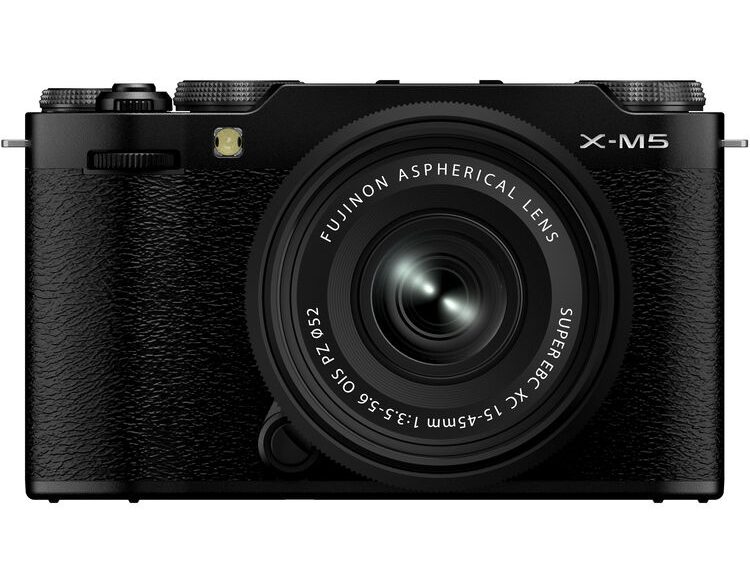
One of the biggest advantages of the Fuji X-M5 is the ability to use interchangeable lenses. Fujifilm’s X-mount system includes more than 35 lenses, ranging from ultra-wides to telephotos to specialty macro lenses. Each lens changes the perspective, depth of field, character, and overall look of your footage or photos.
Smartphones try to fake this flexibility by using multiple built-in lenses and computational zoom. Some phones handle this well, but a true optical zoom lens still outperforms any digital crop. When you want clean detail, especially in low light or at longer focal lengths, a dedicated lens on the Fuji X-M5 wins every time.
Of course, lenses add cost. But you don’t need a huge collection to get started. Many creators use a single fast prime lens for most of their work. And being able to swap lenses is arguably the fastest way to grow as a photographer or videographer because each lens teaches you to see differently.
Video Capabilities: 6K Recording and Creator Tools
As DSI Pictures explains in the video above, the Fuji X-M5’s video capabilities punch well above its weight. With 6.2K open-gate recording, you capture footage using the full sensor area in a 3:2 aspect ratio. That’s fantastic for reframing, cropping, or exporting vertical content from one master clip. The camera also offers 4K up to 60 fps and slow-motion Full HD up to 240 fps.
Smartphones have improved dramatically in recent years, especially with their HDR recording and impressive stabilization. They’re fantastic tools for quick clips or social-ready content. But when image quality matters — especially in challenging lighting — the Fuji X-M5 produces cleaner files with more dynamic range.
Fujifilm also built in creator-focused tools such as a red border indicator while recording, Portrait Enhancer mode, Background Defocus, and the 9:16 Short Movie mode for vertical video. These features make the Fuji X-M5 feel like a hybrid tool that respects both traditional videography and modern social platforms.
Audio Features and Why They Matter
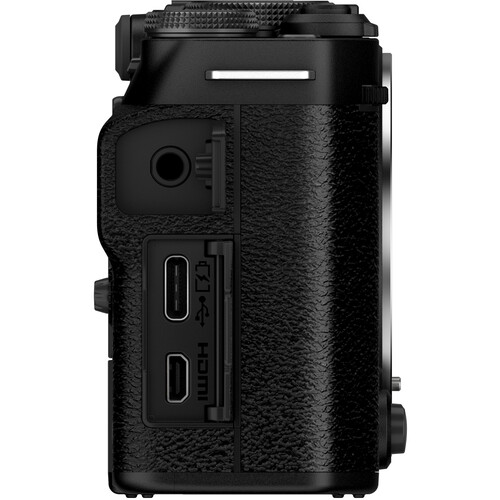
Audio is where many creators first notice the limits of smartphones. The Fuji X-M5 includes three built-in microphones and directional sound modes that let you prioritize audio coming from the front, back, or all around you. It also includes a rear-mounted 3.5mm microphone jack, which is one of my favorite small design touches. It keeps cables out of the way when the screen is flipped forward for vlogging.
Smartphones have improved their microphones, but they still struggle with wind and directional control. And while you can add external microphones, you often need dongles or adapters to make them work. With the Fuji X-M5, audio setup is simple, predictable, and built with creators in mind.
For interviews, travel vlogs, or street content, having better audio can matter just as much as better video. Viewers will forgive mediocre visuals long before they forgive poor sound.
Handling, Usability & Design
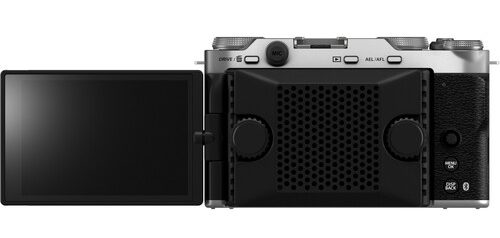
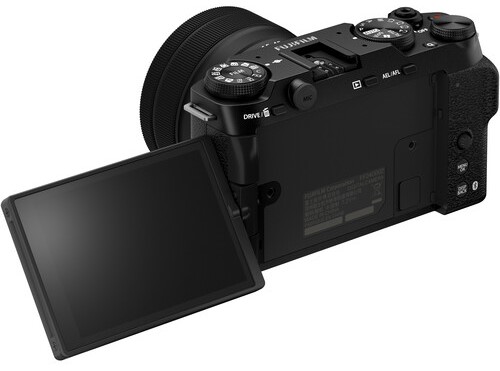
The Fuji X-M5 feels like a camera designed for people who enjoy the process of shooting. The dials, the grip, the articulating touchscreen, and the thoughtful placement of ports give you the physical connection that smartphones lack. Handling a real camera slows you down in a good way. It encourages you to compose intentionally rather than firing off dozens of quick shots.
Smartphones, of course, win in convenience. They’re always with you, slip easily into a pocket, and take almost no thought to operate. But that’s also why many creators eventually feel boxed in. When everything is automatic, you stop experimenting. A camera like the Fuji X-M5 invites you to take control of your settings and grow creatively.
For people coming from a phone, the Fuji X-M5 hits a sweet spot: it’s compact and lightweight, but still feels substantial enough to anchor a real shooting experience.
Connectivity and Workflow
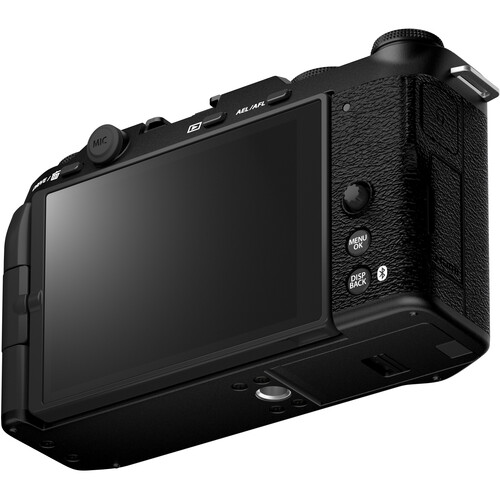
The Fuji X-M5 includes Bluetooth, Wi-Fi, remote control options, and Frame.io Camera to Cloud support. This makes it easy to transfer images or video to your phone or push media directly to the cloud. That last feature can be huge for content creators who need to access footage quickly or share responsibilities with an editor.
Smartphones still win on instant posting. You can shoot, edit, and publish in minutes. But the gap is narrowing. Many creators now use a hybrid workflow: shoot on the Fuji X-M5, transfer footage to their phone, and post from there.
It’s a simple process, and because the files coming out of the Fuji X-M5 already look great (thanks to film simulations), you don’t need to spend a lot of time tweaking them.
Price, Value & Buying Used Through MPB

The cost of upgrading is always part of the decision, and the Fuji X-M5 is an investment. But there are ways to reduce your cost without sacrificing quality — the best of which is buying used. Platforms like MPB make the process safe and affordable. You can buy, sell, or trade gear, letting you put your older equipment toward the cost of something new-to-you.
One of the biggest benefits of using MPB is the peace of mind that comes with their inspection process. Everything is graded by condition, clearly labeled, and backed by a six-month warranty and a seven-day return window. That level of transparency matters, especially for beginners who may not know exactly what to look for when evaluating a used camera or lens.
Buying used is also a great way to access lenses for the Fuji X-M5 at more approachable prices. A fast prime lens that might feel out of reach at full retail often becomes affordable on the used market. And because MPB allows trades, you can rotate gear in and out as your needs evolve.
Final Verdict
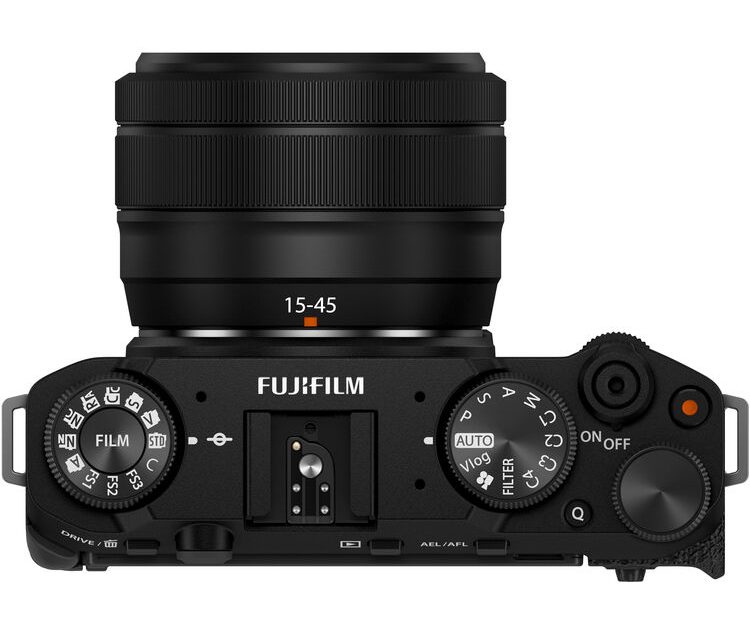
So, is the upgrade worth it? For many creators, absolutely. The Fuji X-M5 offers image quality, color, low-light ability, lens options, and audio tools that smartphones simply can’t match. It’s a camera built for growth, experimentation, and developing a creative voice.
That said, some people are better served sticking with their smartphone, especially if convenience is the top priority. But for anyone feeling limited by their phone, the Fuji X-M5 represents a meaningful and long-lasting step forward — especially when you use the used market to your advantage.
FAQ
Is the Fuji X-M5 good for beginners?
Yes. It’s user-friendly, compact, and offers automatic modes that are easy to learn while giving you room to grow into manual control later.
Can the Fuji X-M5 replace my smartphone?
For serious photo and video work, yes. You’ll still use your phone for quick snapshots, but the Fuji X-M5 will handle almost everything that needs higher quality.
Is 6K video worth it?
6K gives you more detail and flexibility when cropping or exporting vertical content. Even if you deliver in 4K, shooting 6K can improve your final image.
Do I need multiple lenses for the Fuji X-M5?
No. A single fast prime lens can handle a wide range of content. You can add lenses over time as your creative needs expand.
Is buying used gear from MPB safe?
Yes. MPB inspects every item, grades it accurately, offers a six-month warranty, and provides a seven-day return window. It’s one of the safest ways to buy used gear.
Our articles might have affiliate links and the occasional sponsored content, but don’t sweat it – if you buy something, we get a little kickback at no extra cost to you, and we only hype products we truly believe in!

