


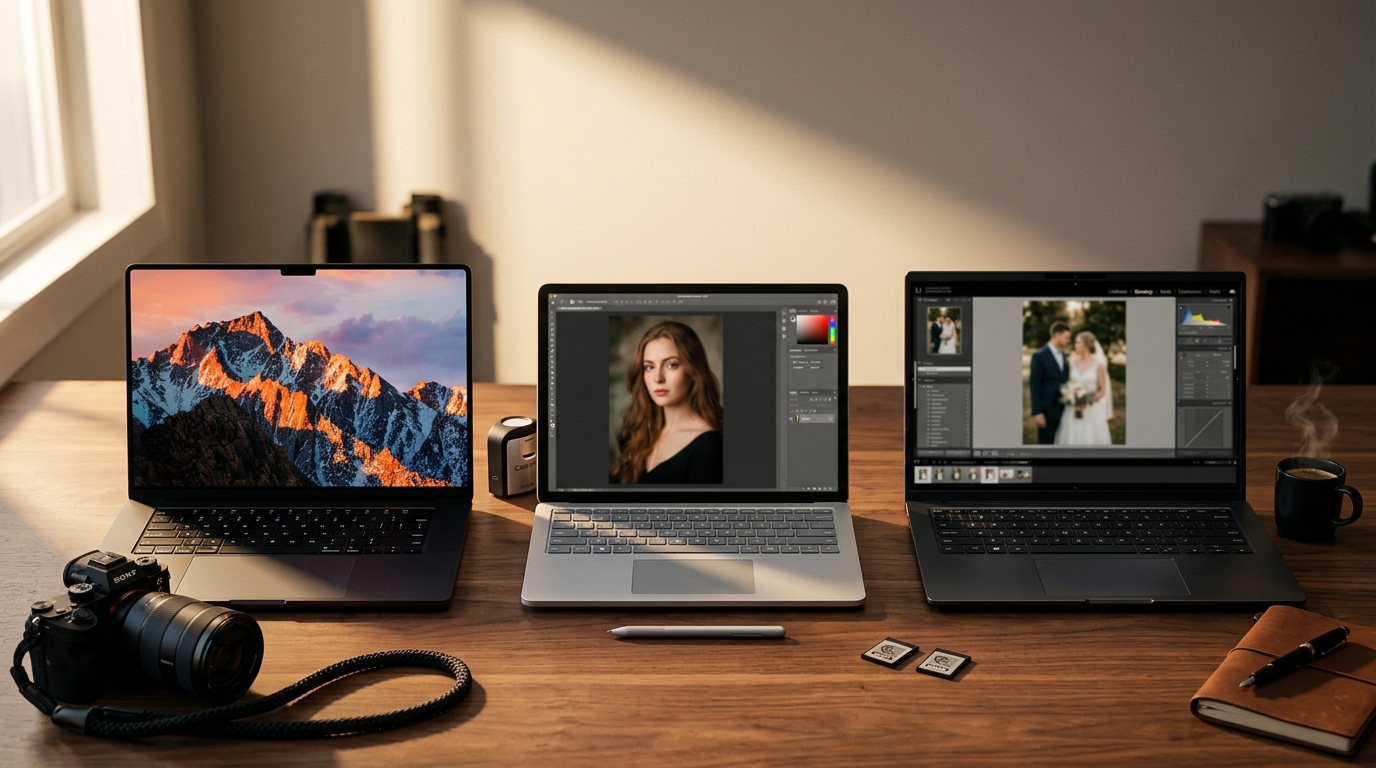
Quick Facts: Best Laptops for Photographers 2026
- Top pick overall: Microsoft Surface Laptop Studio 2 (fold-flat pen editing, RTX 4060)
- Best for travel: 14″ MacBook Pro M4 (1,600-nit display, 14-hour battery)
- Best for pros: 16″ MacBook Pro M4 Max (up to 128GB RAM, Thunderbolt 5)
- Best Copilot+ PC: Surface Laptop 7 (45-TOPS NPU for Adobe AI)
- Best Windows workstation: ASUS ProArt P16 (Pantone 4K OLED, SD Express 7.0)
- Best for AI Denoise speed: Razer Blade 16 (2025) with RTX 5070 Ti
- Best budget: 13″ MacBook Air M4 at $999 with 16GB RAM
- Price range: $999 to $4,000+
- Best for: RAW shooters using Lightroom, Photoshop, Capture One, or Topaz Photo AI
9 min read
In This Guide
- What Photographers Need From a 2026 Laptop
- The 7 Best Photo Editing Laptops at a Glance
- 1. Microsoft Surface Laptop Studio 2
- 2. Apple 14″ MacBook Pro (M4)
- 3. Apple 16″ MacBook Pro (M4 Max)
- 4. Microsoft Surface Laptop 7
- 5. ASUS ProArt P16
- 6. Razer Blade 16 (2025)
- 7. Apple 13″ MacBook Air (M4)
- How to Choose the Right Photo Editing Laptop
- Final Verdict
- Frequently Asked Questions
What Photographers Need From a 2026 Laptop
Our shortlist of the best laptops for photographers 2026 shares three traits. First, a color-accurate display rated near 100% DCI-P3. Second, at least 16GB of unified or dual-channel memory. Third, an NPU or GPU strong enough to run Adobe’s newest AI tools.
Specifically, Lightroom’s AI Denoise, Generative Remove, and the 2026 Photoshop AI features lean hard on the Neural Engine, the Snapdragon NPU, or a discrete RTX GPU. As a result, a laptop missing one of those pieces falls behind within a year of purchase.
Above all, display matters above everything else for color-critical work. Specifically, a P3 wide gamut, factory calibration, and 500 nits of brightness belong at the top of your spec list. For example, Apple’s Liquid Retina XDR panels reach 1,000 nits sustained. As a result, you edit outdoors without a fight.
By contrast, most Windows OLED panels hover around 400 nits SDR. However, their contrast and color volume often beat Apple under indoor light.
Next, RAM and storage follow display in priority. Specifically, modern RAW files from the Sony A1 II, Canon R5 Mark II, and Nikon Z9 push 50 to 80MB per frame. Moreover, Lightroom’s smart previews multiply the footprint.
As a result, 16GB sits at the floor in 2026, 32GB hits the sweet spot, and 64GB future-proofs a Capture One catalog through 2030.
Finally, ports and card readers separate a photo-first laptop from a generic ultrabook. While MacBook Pros include an SDXC slot, MagSafe, and HDMI, the new Surface Laptop 7 and MacBook Air omit a card reader entirely.
For instance, if you shoot CFexpress, plan to dongle in. Otherwise, pick a body like the ASUS ProArt with a built-in SD Express 7.0 slot.
The 7 Best Laptops for Photographers in 2026 at a Glance
| Laptop | Display | CPU / GPU | RAM | Price From |
|---|---|---|---|---|
| Surface Laptop Studio 2 | 14.4″ 2400×1600, 120Hz, pen | i7-13800H + RTX 4060 | Up to 64GB | $1,999 |
| 14″ MacBook Pro M4 | 14.2″ XDR, 1,600 nits HDR | M4, 10-core GPU | Up to 32GB | $1,599 |
| 16″ MacBook Pro M4 Max | 16.2″ XDR, 1,600 nits HDR | M4 Max, up to 40-core GPU | Up to 128GB | $3,499 |
| Surface Laptop 7 | 15″ 2496×1664, 120Hz touch | Snapdragon X Elite + 45 TOPS NPU | Up to 64GB | $1,299 |
| ASUS ProArt P16 | 16″ 4K OLED, Pantone Validated | Ryzen AI 9 HX 370 + RTX 4070 | Up to 64GB | $2,199 |
| Razer Blade 16 (2025) | 16″ QHD+ OLED, 240Hz | Ryzen AI 9 365 + RTX 5070 Ti | 32GB | $2,999 |
| 13″ MacBook Air M4 | 13.6″ Liquid Retina, 500 nits | M4, 8-10 core GPU | Up to 32GB | $999 |
1. Microsoft Surface Laptop Studio 2: Best for Retouchers and Pen-Driven Editing

Notably, the Surface Laptop Studio 2 tops our list of the best laptops for photographers 2026 for one reason. Indeed, it remains the only mainstream laptop built to fold flat into a Cintiq-style canvas. For example, pair it with a Slim Pen 2 and you paint masks in Photoshop at 4,096 pressure levels.
For wedding and portrait retouchers, the form factor replaces a separate Wacom tablet and a $2,000 reference monitor.
Specs back up the form factor. Notably, Microsoft pairs Intel’s Core i7-13800H with an RTX 4060 (8GB) on the top tier. Configurations scale to 64GB of LPDDR5x RAM and a removable 2TB SSD.
Moreover, the 14.4-inch PixelSense Flow display runs at 2400 × 1600, hits 120Hz, and ships with a calibrated sRGB profile. Additionally, the 3:2 aspect ratio adds vertical pixels over a 16:9 panel. Indeed, the extra height matters when a histogram, layers panel, and brush palette open at once.
However, the 13th-gen Intel chip now sits a generation behind. Granted, Microsoft has not refreshed the Studio line for 2026.
Still, no Copilot+ PC matches its pen-first form factor today. For retouchers who edit by hand more than by slider, the Studio 2 earns the top slot.
Today’s Best Deal
Surface Laptop Studio 2 with RTX 4050
Fold-flat 14.4″ touch display, Slim Pen 2 ready, and 32GB RAM for serious retouching work.
2. Apple 14″ MacBook Pro (M4): Best for Travel and Hybrid Shooters

For mobile shooters, the 14″ MacBook Pro with the M4 chip ranks high among the best laptops for photographers 2026, and it is the best MacBook for photographers who edit on the road. Specifically, one number explains why: 1,600 nits of peak HDR brightness.
As a result, editing on a hotel balcony or in mid-afternoon sun stops being a fight with reflections. In addition, the Liquid Retina XDR mini-LED panel reaches 1,000 nits sustained SDR. Moreover, it covers wide P3 with factory color tuning out of the box.
Notably, Apple’s M4 chip carries a 10-core CPU, a 10-core integrated GPU, and a 16-core Neural Engine rated at 38 TOPS. In practice, Lightroom’s AI Denoise processes a 61MP Sony A7R V RAW in roughly 20 seconds on the M4. By comparison, the same job runs around 45 seconds on the M1 Pro.
Meanwhile, battery life holds 14 to 17 hours under real photo-editing load, well below the marketing-page 24-hour figure.
Admittedly, Apple shipped the M5 14″ MacBook Pro in late 2025, so a faster option exists. Nonetheless, the M4 model still ships, sells at a $200 to $300 discount, and delivers identical display quality.
Specifically, performance lands at roughly 85% of M5 speed for export-heavy work. Therefore, for most photographers, the M4 is the smarter buy through 2027.
Save on the M4
14″ MacBook Pro M4 with 16GB RAM
1,600-nit XDR display, SDXC card slot, and a true 14-hour battery for editing on location.
3. Apple 16″ MacBook Pro (M4 Max): Best for Pro Retouchers and Studios

For pros editing 100MP Phase One files or batching 1,500-image wedding catalogs, the 16″ MacBook Pro M4 Max replaces a desktop. Specifically, configure it with a 16-core CPU, a 40-core GPU, up to 128GB of unified memory, and 8TB of internal SSD.
Moreover, three Thunderbolt 5 ports drive four external 6K reference monitors at the same time. Indeed, this is the best laptop for Lightroom 2026 if you bill clients.
Notably, the 16.2-inch Liquid Retina XDR panel matches the 14-inch in color and brightness. In addition, it delivers more vertical canvas for layered Photoshop work. Meanwhile, battery life lands around 12 to 15 hours during real Lightroom catalog sessions.
Equally important, Apple’s Neural Engine plus Metal-optimized AI builds in Topaz Photo AI and DxO PureRAW 4 now match NVIDIA’s CUDA pipeline on RTX 4080-class laptops.
Granted, price is the catch. Specifically, a useful pro configuration with 48GB RAM and 2TB SSD lands near $4,200.
However, for a working photographer, the machine pays for itself in saved render time within a year. Therefore, treat it as a tax-deductible smart photography business investment, not a consumer purchase.
Ready to Buy?
16″ MacBook Pro M4 Max
Thunderbolt 5, up to 128GB unified RAM, and the display pros calibrate against for print.
4. Microsoft Surface Laptop 7: Best Copilot+ PC for AI Workflows
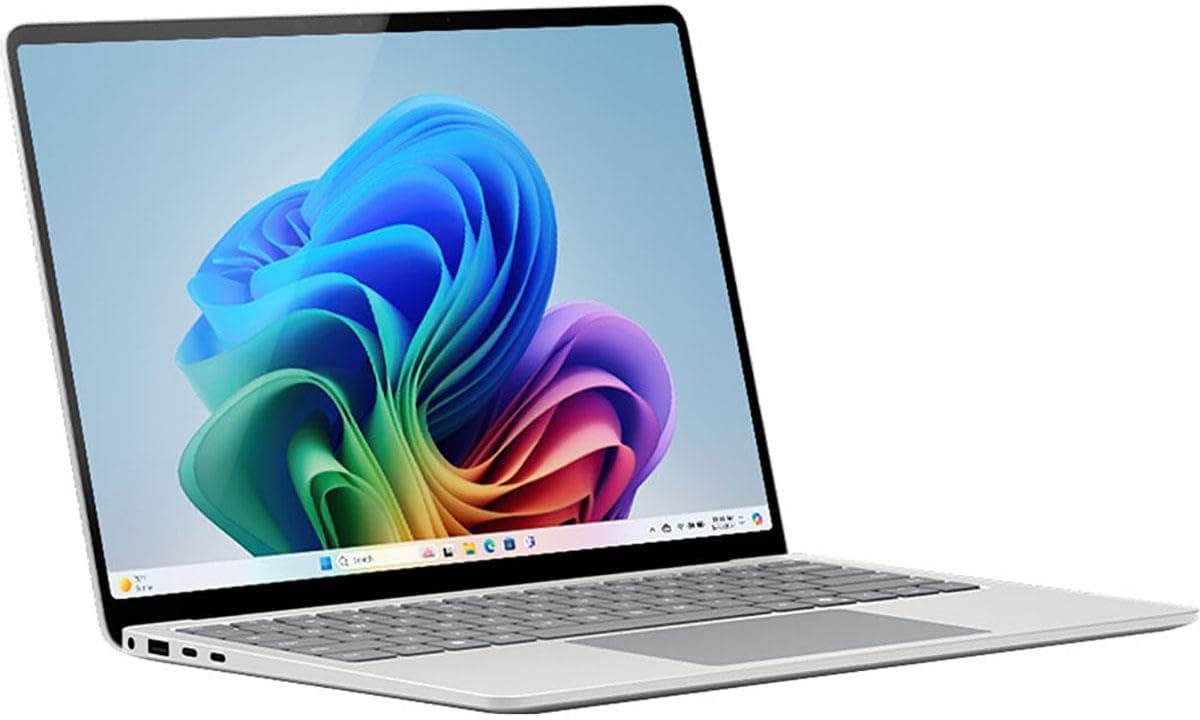
Notably, among the best laptops for photographers 2026, the Surface Laptop 7 (Copilot+ PC edition) was among the first Windows laptops shipping with a 45-TOPS NPU. Indeed, the NPU genuinely accelerates Adobe’s on-device AI features.
As a result, Lightroom’s Generative Remove and AI Denoise run on the Snapdragon X Elite’s Hexagon NPU. Consequently, the CPU and GPU stay free, the fans stay quiet, and the battery survives a 12-hour edit session.
Specifically, Microsoft’s 15-inch model ships with a 2496 × 1664 touch display and 120Hz dynamic refresh. In fact, NotebookCheck measured 613 nits SDR on a calibrated sRGB profile. Likewise, the 3:2 aspect ratio mirrors the Surface Studio 2 advantage for histogram-heavy workspaces.
Additionally, RAM tops out at 64GB. Moreover, the SSD is removable, which is rare in this class, and weight stays under 3.7 pounds.
Admittedly, one caveat applies. Specifically, Photoshop and Lightroom (cloud) ship native Windows ARM64 builds, while Lightroom Classic still runs under emulation on Snapdragon as of mid-2026.
However, third-party plugins like Topaz, Nik Collection, and ON1 might still run under emulation. Therefore, confirm your specific plugin stack supports Windows on ARM before you commit. For Adobe-only shooters, the Surface 7 is the most battery-efficient Windows photo laptop in 2026.
Save on the Snapdragon X Elite
Surface Laptop 7 (15-inch, 16GB)
45-TOPS NPU, 22-hour battery claim, and a 613-nit calibrated touch display under 3.7 pounds.
5. ASUS ProArt P16: Best Windows Laptop for Photo Editing

Notably, the ASUS ProArt P16 (H7606WI) is the cleanest Windows answer to a 16″ MacBook Pro. As the best Windows laptop for photo editing on our shortlist, it stacks a 4K OLED touch panel covering 100% DCI-P3. In addition, the display ships Pantone Validated and Calman Verified to Delta E under 1 out of the box.
Inside, you get an AMD Ryzen AI 9 HX 370, an RTX 4070 GPU, and a 50-TOPS XDNA 2 NPU. Indeed, nothing else competes for Windows photographers who want factory-calibrated color plus a discrete GPU.
Specifically, two features make this a true photographer’s machine. First, the built-in SD Express 7.0 card reader is the fastest on any laptop. Notably, the speed matters when you offload an 80GB wedding shoot.
Second, the rotary DialPad above the trackpad maps directly to Lightroom sliders. As a result, you adjust exposure, shadows, and clarity one-handed without touching the keyboard.
Admittedly, the trade-off is battery and weight. Specifically, real-world editing runs 5 to 7 hours under load. In addition, at 4.08 pounds, the ProArt skews toward studio use.
Nonetheless, with a user-replaceable M.2 SSD up to 4TB and a 64GB RAM ceiling, the ProArt P16 outlasts most laptops on this list by years.
Buy Direct From Amazon
ASUS ProArt P16 with RTX 4070
Pantone Validated 4K OLED, SD Express 7.0, DialPad, and an upgradable 4TB NVMe SSD.
6. Razer Blade 16 (2025): Best for AI Denoise and Topaz Speed

Notably, among the best laptops for photographers 2026, the Razer Blade 16 (2025) with an RTX 5070 Ti finishes batch AI jobs fastest. Specifically, for photographers running Topaz Photo AI, DxO PureRAW 4, or Lightroom AI Denoise across hundreds of files, nothing else closes the gap.
In particular, the 12GB GDDR7 GPU outpaces M4 Max integrated graphics on Topaz Photo AI and DxO PureRAW 4 batch jobs by a wide margin in published Puget Systems testing. Moreover, the higher-tier RTX 5080 and 5090 configurations widen the gap further.
Specifically, the 16-inch QHD+ OLED panel runs at 2560 × 1600 and hits 240Hz. In addition, it earns VESA DisplayHDR TrueBlack 1000 certification at up to 1,100 nits peak HDR. Moreover, color holds 100% DCI-P3 with factory calibration suitable for editing.
However, hardware calibration with a Calibrite or Datacolor probe is worth running monthly for serious print work. Additionally, the user-replaceable PCIe Gen4 SSD scales to 8TB, and 64GB RAM is available at order.
Admittedly, battery life is the obvious cost. Specifically, plan on 3 to 4 hours under sustained GPU load and a charger in your bag.
Nonetheless, for studio shooters who also game or render video alongside photos, the Blade 16 is the only laptop here genuinely excelling at all three workloads.
Power Pick
Razer Blade 16 with RTX 5070 Ti
240Hz QHD+ OLED, RTX 5070 Ti GPU, and an upgradable 8TB SSD ceiling for AI-heavy workflows.
7. Apple 13″ MacBook Air (M4): Best Budget Photo Editing Laptop

Notably, Apple raised the MacBook Air’s base RAM to 16GB in March 2025 and held the entry price at $999. As a result, the 13″ Air with the M4 chip is now the cheapest serious best laptop for photo editing 2026 on the market.
In particular, for students, travel photographers, and second-machine shoppers, no Windows laptop near this price matches its color-accurate P3 display and 10-hour real-world battery.
Specifically, the 13.6-inch Liquid Retina panel runs at 2560 × 1664 with 500 nits SDR. While the Air does not match the 1,600-nit HDR ceiling of the MacBook Pro, daytime editing indoors stays clean and color holds steady.
Likewise, the M4 chip’s 10-core GPU runs Lightroom AI Denoise on a 61MP RAW in roughly 25 to 30 seconds. By comparison, the Air sits a few seconds behind the 14″ Pro.
Admittedly, compromises are minor and predictable. Specifically, the Air ships with no SD card reader, no HDMI port, and no MagSafe (charging uses USB-C). In addition, the 60Hz display feels slower than ProMotion after you experience 120Hz.
Nonetheless, for photographers shopping the photographer gift guide under $1,000, the Air is the single best laptop on the market.
Best Value Pick
13″ MacBook Air M4 at $999
16GB unified RAM standard, M4 chip, and a P3 wide-gamut display in a 2.7-pound chassis.
How to Choose the Best Laptops for Photographers 2026
First, start with the display. Specifically, for color-critical work, prioritize wide P3 coverage, factory calibration with a published Delta E under 2, and brightness of at least 500 nits SDR.
While OLED panels offer better contrast and color volume, mini-LED panels like Apple’s XDR push higher sustained brightness for outdoor editing. Either approach works. However, reflective glossy finishes cause more trouble than the underlying technology.
Next, weigh RAM against years of useful life. Specifically, 16GB handles current Lightroom and Photoshop comfortably. By contrast, a photo editing laptop 32GB RAM future-proofs through 2028. Moreover, 64GB or 128GB suits pros running Capture One sessions alongside Photoshop and Premiere.
In addition, soldered RAM means you upgrade once at purchase. Therefore, spend more here than you think you need.
Finally, consider your ecosystem before chasing benchmarks. For instance, if you live in Lightroom and Photoshop only, the Snapdragon X Elite in the Surface Laptop 7 outlasts everything on battery.
Conversely, if you use Topaz Photo AI, ON1, or Capture One, choose a laptop with a discrete NVIDIA RTX GPU or an Apple Silicon chip with a Metal-optimized plugin path. Therefore, plan for the software you run today, not the benchmark you read about.
Final Verdict: The Best Laptops for Photographers in 2026
Overall, our roundup of the best laptops for photographers 2026 rewards buyers who match a machine to a workflow. Indeed, chasing the highest spec wastes money.
For example, for pen-driven retouchers, the Surface Laptop Studio 2 stays unmatched as a Cintiq replacement with a full RTX 4060 inside. Meanwhile, travel and hybrid shooters get the most editing range from the 14″ MacBook Pro M4. Specifically, its 1,600 nits of HDR brightness and 14-hour battery turn a cafe table into a workspace.
Notably, working pros who bill clients should look hard at the 16″ MacBook Pro M4 Max or the ASUS ProArt P16. Specifically, both reach Delta E under 2 and both scale RAM into the 64GB-and-up tier. Equally important, both deliver Thunderbolt or USB4 bandwidth to drive reference monitors at calibration time.
Meanwhile, the Razer Blade 16 takes the third pro slot when AI Denoise speed and discrete GPU horsepower matter more than battery life.
For everyone else, the Surface Laptop 7 and the MacBook Air M4 cover the realistic budgets. Specifically, the Surface delivers a 45-TOPS NPU for Adobe’s newest AI tools at $1,299. Meanwhile, the Air starts at $999 with 16GB RAM and Apple’s wide-P3 display.
Above all, avoid laptops with 8GB of soldered RAM in 2026; the savings disappear within a year as Adobe’s AI features scale.
Finally, one firm recommendation: pair whichever laptop you choose with a fast external SSD for photo libraries. In fact, internal SSD upgrades on Apple Silicon machines cost three times the price of an equivalent Thunderbolt drive.
For comparison, our roundup of the best external SSDs for photographers pairs cleanly with every machine on this list.
Frequently Asked Questions: Best Laptops for Photographers 2026
Do photographers need a Mac or PC in 2026?
Admittedly, neither platform holds a decisive lead. Specifically, Apple Silicon delivers better battery life, factory-calibrated displays at every tier, and superior native performance in Lightroom and Photoshop. Likewise, Windows on Snapdragon now matches Apple for AI workloads thanks to 45-TOPS NPUs.
Meanwhile, NVIDIA RTX cards in laptops like the Razer Blade and ASUS ProArt outpace Apple GPUs for Topaz Photo AI and DxO PureRAW. Therefore, pick the platform matching your existing plugin stack and color-management workflow.
How much RAM do I need for Lightroom in 2026?
Specifically, 16GB is the working floor for casual editing on modern RAW files. In addition, for event photographers, retouchers, and anyone running Capture One sessions alongside Photoshop, 32GB hits the realistic sweet spot.
Notably, industry benchmarks from Puget Systems and Aftershoot recommend 32GB for the Generative Remove and AI Denoise features added in 2025-2026 updates. Moreover, pros editing 100MP files or hybrid photo-video shooters should target 64GB or more.
Is OLED good for photo editing?
Yes, with one caveat. Specifically, modern OLED panels in laptops like the ASUS ProArt P16 and Razer Blade 16 deliver true blacks, 100% DCI-P3 coverage, and excellent factory color accuracy. Indeed, the technology suits editing well.
However, OLED panels are dimmer in SDR than mini-LED panels like Apple’s XDR. As a result, outdoor editing favors mini-LED. By contrast, for studio work indoors, OLED wins on contrast and shadow detail.
Snapdragon X Elite vs Apple M4 for photo editing?
Notably, Apple M4 still leads in raw single-threaded performance and native plugin compatibility across Lightroom, Photoshop, Capture One, and Topaz. By contrast, the Snapdragon X Elite ties or beats M4 on NPU workloads thanks to its 45-TOPS Hexagon NPU.
Specifically, the NPU accelerates Adobe’s newest AI tools. As a result, for Adobe-only shooters, the Surface Laptop 7 is competitive. Meanwhile, for plugin-heavy workflows, M4 remains the safer bet through 2027.
Do I need a 4K display on my laptop for photo editing?
No. In fact, color accuracy and brightness matter far more than raw resolution. Specifically, a QHD+ panel like the 2560 × 1600 display on the Razer Blade 16, or the 2560 × 1664 Liquid Retina on the MacBook Air M4, displays plenty of detail for editing 50MP RAW files.
In addition, reference work happens on an external 4K or 5K calibrated monitor anyway. Therefore, spend the budget on Delta E under 2 and 500-plus nits of brightness instead of pixel count.

