


Quick Facts:
- Topic: Camera settings for portrait photography
- Skill level: Beginner to intermediate
- Best starting aperture: Around f/2.8 for a soft background
- Best starting mode: Aperture priority for still subjects, shutter priority for movement
- Gear needed: Any camera with manual or semi-auto control and a fast lens
- Best for: Sharper, better-exposed portraits indoors, outdoors, and on the move
9 min read
In This Guide
Why Camera Settings for Portrait Photography Matter

A great portrait lives or dies on a handful of choices, and the right camera settings for portrait photography are what separate a flat snapshot from a frame that flatters. Get the aperture, focus, and exposure right, and your subject pops off a soft background with skin tones that look natural. Get them wrong, and even a perfect moment turns into a soft, muddy, or badly lit frame.
The good news is that portraits rely on a small, predictable set of controls. Once you understand what each one does, you can adapt to almost any situation. I shoot landscapes, where I live in aperture priority mode, and the same exposure logic carries straight into portrait work. The settings below build on the exposure triangle, so a quick refresher there will make everything here click faster.
Lens choice shapes the look as much as any setting. Short telephoto focal lengths from 50mm to 85mm flatter faces by compressing features slightly and separating the subject from the background. A wide-angle lens, by contrast, can distort features up close, so it suits environmental portraits more than tight headshots. If you own a single prime, a 50mm is the most versatile place to start.
This guide walks through the core settings one at a time, then hands you ready-to-use starting points for indoor, outdoor, and moving subjects.
Exposure: Aperture, Shutter Speed, and ISO
Three settings control exposure, and together they decide how bright your portrait looks and how it feels. Aperture is the one to learn first.
Aperture sets how wide the lens opens, measured in f-stops from a wide f/1.4 to a narrow f/22. A wide opening like f/2.8 lets in plenty of light and produces a shallow depth of field, so your subject stays sharp while the background melts into a soft blur. That look is the heart of classic portraiture. A narrower opening like f/8 keeps more of the scene in focus, which suits group shots where every face needs to be sharp.
Shutter speed controls how long the sensor sees light, and it also governs motion. For a still subject, a moderate speed works fine. For a person on the move, you need a faster shutter to freeze the action, often 1/200 second or quicker. A slow shutter can add creative motion blur, though it calls for a tripod to avoid camera shake. Our guide to shutter speed covers the trade-offs in depth.
ISO sets how sensitive the sensor is to light, on a scale that starts near 100 and climbs into the thousands. Keep it low when light is plentiful, because a low ISO gives the cleanest result. Raise it indoors or at dusk to keep a usable shutter speed, and accept that higher numbers add grain. A little grain beats a blurry, underexposed portrait every time.
The Classic Portrait Lens
A 50mm f/1.8 Prime for Creamy Blur
A “nifty fifty” opens wide for the soft, shallow background portraits are known for, and it stays beginner friendly on price.
As an Amazon Associate, PhotographyTalk earns from qualifying purchases.
Focus, Drive Mode, and Metering
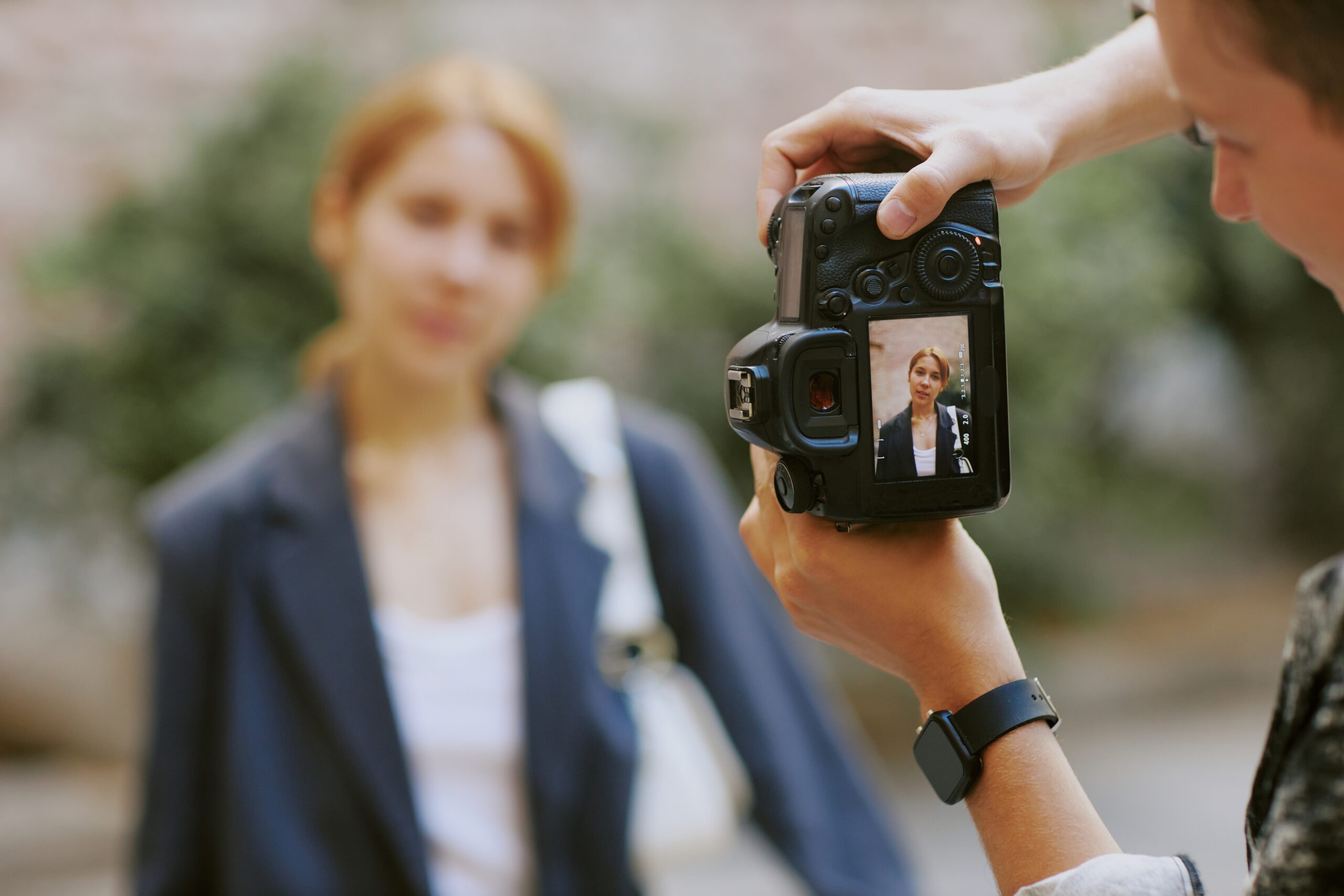
Sharp eyes make a portrait, so focus settings deserve as much attention as exposure. Two choices matter most.
Single-point autofocus lets you place one focus point directly on the subject’s nearest eye, which is exactly what a still portrait needs. Continuous autofocus instead tracks a subject as it moves, adjusting focus while you hold the shutter halfway. Reach for single-point when your subject is posed, and switch to continuous the moment they start moving.
Drive mode decides how many frames fire per press. Single shot suits posed portraits, where one careful frame is enough. Continuous, or burst, mode fires a rapid sequence and pairs naturally with continuous autofocus for active subjects like kids at play. A self-timer is handy when you want to step into the frame yourself.
Metering tells the camera how to read the light. Multi-zone metering reads the whole scene and works well for balanced light. Center-weighted metering favors the middle of the frame, which helps against strong backlight. Spot metering reads a tiny area for precise control, ideal for high-contrast scenes or an off-center subject. For most portraits, spot or center-weighted metering keeps the exposure locked on the face.
Most recent mirrorless cameras add eye-detection autofocus, which finds and locks onto a subject’s eye automatically. When your camera offers it, turn it on for portraits, because it nails the most important point of focus while you concentrate on expression and composition. Many photographers also enable back-button focus, which moves focus off the shutter and onto a dedicated rear button. That split lets you lock focus once, then recompose and fire without the camera refocusing on the background.
Shooting Modes and White Balance
Manual mode gives you full command of aperture, shutter speed, and ISO, and it remains the goal once the relationships feel natural. Until then, semi-automatic modes get you most of the control with less juggling.
Aperture priority, marked A or Av, lets you set the aperture and ISO while the camera picks the shutter speed. It is the best choice for still portraits, since you control the background blur directly. Shutter priority, marked S or Tv, lets you set the shutter speed and ISO while the camera handles aperture, which suits moving subjects. Program mode, marked P, picks both aperture and shutter while leaving ISO to you, yet it still lets you override its choices, so it makes a gentle bridge toward manual.
White balance keeps colors honest. Light carries color, from the cool blue of midday to the warm gold of sunset to the yellow of indoor bulbs. Your eyes adjust automatically, but your camera does not, so you match a preset to the light. Use tungsten indoors under warm bulbs, shade or cloudy in soft outdoor light, and daylight at sunset to keep those warm tones. When a preset misses, set white balance manually with a gray card. Our primer on white balance shows how.
Portrait Settings Cheat Sheet
Here is a fast reference that maps the core settings to the three situations photographers face most. Treat these as starting points, then fine-tune for your light and subject.
| Setting | Indoor | Outdoor (sunny) | Moving subject |
|---|---|---|---|
| Shooting mode | Aperture priority | Aperture priority | Shutter priority |
| Aperture | f/2.8 | f/2.8 | Camera selected |
| Shutter speed | Camera selected | Camera selected | 1/200s or faster |
| ISO | 800 | 100 | 100 |
| Drive mode | Single shot | Single shot | Continuous |
| Focus mode | Single autofocus | Single autofocus | Continuous autofocus |
| Metering | Spot | Spot | Multi-zone |
| White balance | Tungsten | Shade | Auto |
Settings for Indoor, Outdoor, and Action
The cheat sheet gives you numbers. Here is the reasoning behind each scenario so you can adjust with confidence.
Indoor portraits
Indoors, light is usually scarce and your subject is often still, so aperture priority near f/2.8 keeps the background soft while the camera balances the shutter. Push ISO to around 800 to keep the shutter speed usable. Pair single shot, single-point autofocus, and spot metering for a precise reading on the face, then set white balance to tungsten to tame the warm cast of indoor bulbs. If the frame comes out too bright, drop ISO to 400 and shoot again. Near a window, lower ISO further and switch white balance to cloudy or shade.
Outdoor portraits

On a sunny day, find open shade under a tree or building to soften harsh light and stop your subject from squinting. Stay in aperture priority near f/2.8 for that creamy background, and drop ISO to 100 since light is abundant. Use single shot and single-point autofocus for a posed subject, spot metering for accuracy, and the shade white balance to warm the cooler light of the shadows. At sunset, place your subject in the warm glow and switch to the daylight preset to keep those golden tones.
Moving subjects
For kids running or any active subject, shutter speed becomes the priority. Switch to shutter priority and start at 1/200 second with ISO 100, then set both drive mode and focus mode to continuous so the camera tracks the action. Multi-zone metering reads the whole scene for a balanced exposure. If you still see blur in arms or legs, raise the shutter to 1/400 second. If the subject looks too dark, switch to center-weighted metering and keep them centered in the frame.
There are only a handful of settings to manage in portraiture, yet the combinations are endless, so practice is what turns these starting points into instinct. Shoot the same subject across a few apertures and ISO values, then compare the results to see exactly how each control changes the feel of a frame. Once you know what every setting does, adjusting on the fly becomes second nature, and you spend your attention where it belongs, on the person in front of the lens.
Frequently Asked Questions
What is the best aperture for portrait photography?
Around f/2.8 is a reliable starting point for a single subject, since it blurs the background while keeping the face sharp. For groups, narrow to f/5.6 or f/8 so everyone stays in focus.
What ISO should I use for portraits?
Use the lowest ISO the light allows. Outdoors in sun, ISO 100 keeps images clean. Indoors, ISO 800 is a common starting point to maintain a usable shutter speed, with adjustments from there.
Which shooting mode is best for portraits?
Aperture priority is best for still portraits because you control the background blur. For moving subjects, switch to shutter priority so you can freeze motion while the camera handles aperture.
What shutter speed freezes a moving subject?
Start at 1/200 second for general movement and raise it to 1/400 second or faster if you still see blur. The faster the subject, the faster the shutter you need.
How do I get sharp focus on the eyes?
Use single-point autofocus and place the active point on the subject’s nearest eye. For moving subjects, switch to continuous autofocus so the camera tracks focus as they move.
About the Author: Alex Schult
Alex Schult founded PhotographyTalk and has photographed for more than 25 years, with a focus on landscape, seascape, and cityscape work. He shot Nikon for 17 years, from the D90 through the Z7, then moved to Canon, and shoots Sony and DJI for video. A U.S. military veteran and avid overlander, he has worked on location across Europe, Norway, Alaska, and the United States.

