


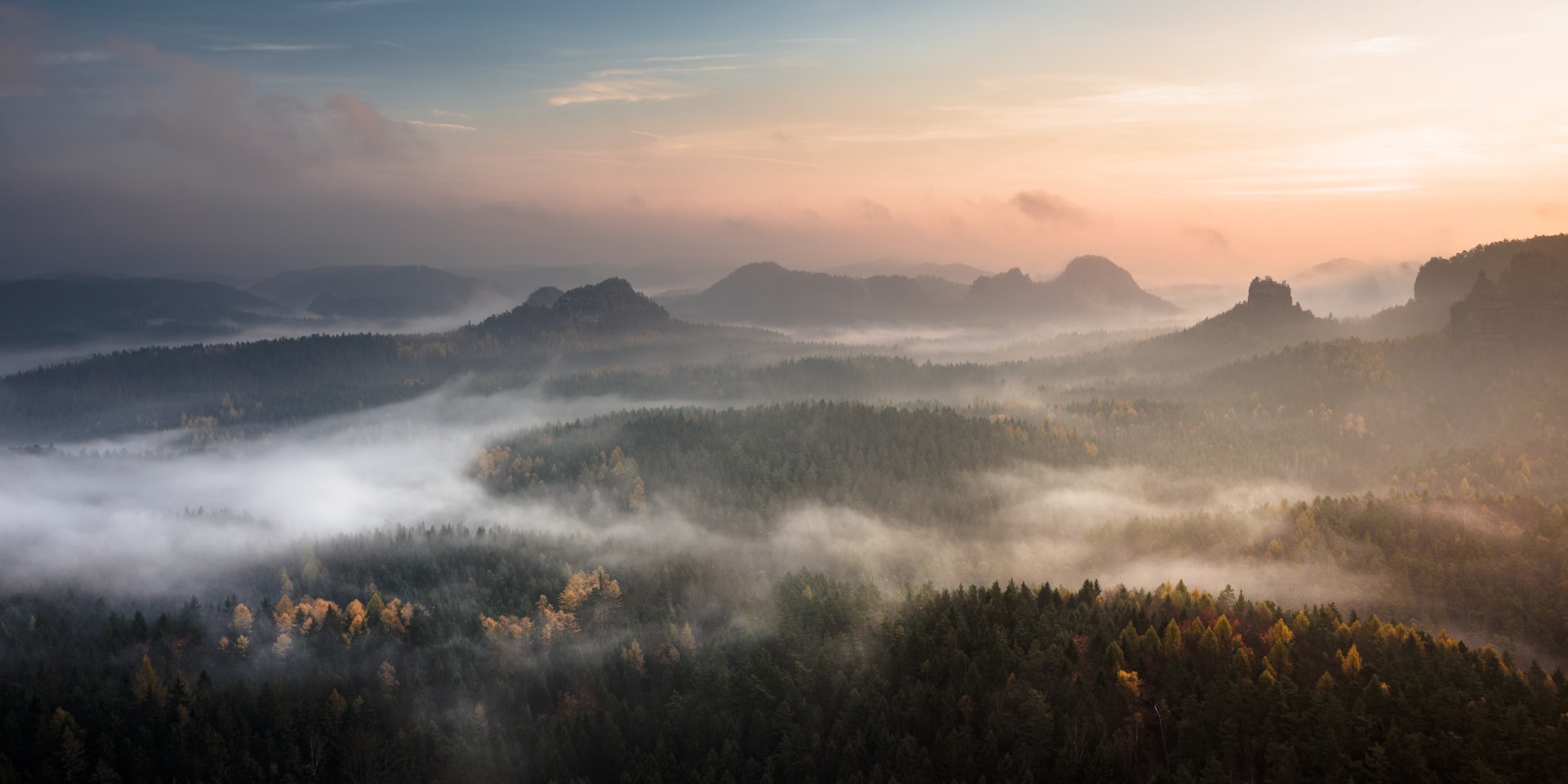
Fog rolls in on its own schedule. You can’t negotiate with it, plan around it, or manufacture it in post-processing. What you can do is be ready for it, because when the conditions align, foggy landscapes produce some of the most emotionally powerful images in photography. After more than two decades behind the lens, fog and mist photography remains one of my favorite pursuits, and the images I’ve captured in those narrow pre-dawn windows are among the ones I’m proudest to print and display.
The challenge is that fog fights you on every front. Your camera’s meter tries to underexpose the bright mist. Your autofocus hunts through featureless grey. The window closes in 30 minutes. It can be tough!
This guide covers everything I’ve learned about working in these conditions, from the camera settings that actually produce accurate exposures to the compositional approaches that take advantage of what fog does naturally. By the end, you’ll be chasing foggy mornings instead of dreading them.
Quick Verdict: Fog and mist photography rewards the prepared shooter with some of the most atmospheric, print-worthy landscape images you’ll ever capture. Success comes down to three things: showing up at the right time (typically within an hour of sunrise), dialing in exposure compensation between +1 and +2 stops, and switching to manual focus to prevent your autofocus from hunting through the haze. When you nail those elements, you end up with images so rich in mood and tonal depth that they beg to be printed large on metal.
Last updated: May 2026 | 9 min read
In This Guide
- Why Fog and Mist Photography Is Worth the Early Alarm
- Fog Photography at a Glance
- Timing, Weather, and Location Planning
- Camera Settings for Fog and Mist
- Composition Techniques That Work in the Haze
- Editing Foggy Landscape Images
- From Foggy Shot to Metal Print: Why the Medium Matters
- Frequently Asked Questions
Why Fog and Mist Photography Is Worth the Early Alarm
Fog and mist photography is where patience and preparation pay off in the most dramatic way possible. Over more than two decades shooting landscapes, I’ve stood in pre-dawn darkness more times than I remember, waiting for conditions to align. When they do, the results are images that no amount of post-processing trickery will replicate from a clear-sky afternoon shot. Fog strips a scene down to its essential shapes, adds natural depth through layering, and delivers soft, directional light that photographers spend careers chasing. Few other conditions produce moody landscape photography this consistently, and with this little effort in post-processing.
My first genuinely successful fog shoot happened in the Pacific Northwest, where a temperature inversion settled mist into a river valley below a ridge I’d hiked to before sunrise. I almost didn’t go. The forecast showed overcast skies and I nearly talked myself out of the drive. That single session produced three images I still regard among my strongest landscape work. Since then, foggy mornings have become events I actively pursue rather than weather I tolerate.
The challenge, of course, is that fog doesn’t cooperate with hesitation. Conditions shift fast, your camera’s meter fights you, and autofocus hunts uselessly through featureless white. This guide covers everything you need to get the shot: when and where to find fog, how to set your camera for accurate exposures, compositional approaches that work beautifully in low-contrast light, and how to edit and print these images so the mood you felt in the field survives to the wall.
Fog Photography at a Glance
| Factor | Recommendation |
|---|---|
| Best Time to Shoot | 30 minutes before to 90 minutes after sunrise |
| Ideal Conditions | High humidity overnight, clear skies, temperatures near dew point |
| Aperture Range | f/8 to f/16 for landscape sharpness throughout the frame |
| Exposure Compensation | +1 to +2 stops to prevent underexposure in bright mist |
| ISO | ISO 100–400 with tripod; raise only when handholding is necessary |
| Focus Mode | Manual focus; use Live View magnification on a high-contrast edge |
| Essential Gear | Tripod, remote shutter release, microfiber lens cloth, weather-sealed body |
| Best Locations | Valleys, river corridors, lake edges, forested ridgelines |
| File Format | RAW for maximum control over tones and white balance in editing |
Your Best Fog Shots Deserve Metal
Shiny Prints uses ChromaLuxe HD aluminum panels proven to last over 65 years, paired with F-series Epson printers for the widest gamut and sharpest output in the dye-sublimation industry. Standard sizes from 8×8 up to 48×96 inches, with custom cuts available.
Timing, Weather, and Location Planning

Photo by Jaromir Chalabala via Shutterstock
The single biggest variable in fog and mist photography isn’t your camera body or your lens. It’s timing. Radiation fog, the kind most landscape photographers chase, forms when the ground cools overnight after a clear day, causing moisture in the air to condense. The window is narrow. Once the sun rises and surface temperatures climb, fog burns off quickly, often within 30 to 45 minutes at ideal shooting locations. Arrive late and you’ve missed it.
Weather apps help, but none of them replace understanding what conditions favor fog formation. Look for high overnight humidity (above 85%), temperatures within a few degrees of the dew point, calm winds, and a clear sky overhead. The clearing sky allows ground temperature to drop fast, while calm air keeps the moisture from dispersing. When those four factors align, set your alarm for at least 45 minutes before sunrise and drive.
Where Fog Forms Most Reliably
Geography matters as much as weather. Fog settles in low-lying terrain because cold, dense air sinks. River valleys, lake basins, coastal inlets, and forested hollows are reliable fog traps. High ridgelines overlooking a valley give you a compositional advantage: you shoot down through the fog layer rather than into a wall of white, so foreground elements stay sharp while the middle distance dissolves into mist.
I’ve found that revisiting the same locations across seasons rewards you with a mental database of how fog behaves at each spot. A meadow I shoot regularly produces low ground mist in fall after warm days cool sharply overnight. A river corridor I photograph in winter fills with steam fog when cold air moves over relatively warmer water. Knowing those patterns means I’m in position rather than searching when conditions arrive.
Camera Settings for Fog and Mist

Photo by Wirestock Creators via Shutterstock
Your camera’s metering system has one job: render the scene as 18% middle grey. When fog floods your frame with bright, reflective water droplets, the meter reads that brightness as overexposure and compensates by stopping down. The result is a dark, muddy image with grey fog instead of the luminous white you saw in the field. Exposure compensation corrects this. Start at +1 stop and adjust based on your histogram. In strongly backlit conditions where sunlight cuts through the mist, push to +2 stops to retain the delicate tonal gradations in the fog itself.
Aperture selection for fog photography follows standard landscape logic. An aperture between f/8 and f/16 keeps everything from foreground rocks to distant tree lines acceptably sharp. ISO should stay at your camera’s base value, typically ISO 100, because a tripod eliminates the need to raise sensitivity to manage shutter speed. Lower ISO preserves the subtle tonal separation in fog, which is where the mood lives in these images.
Manual Focus: Non-Negotiable in Heavy Fog
Autofocus works by detecting contrast. Dense fog reduces contrast to near zero across large portions of the frame. The result is a hunting lens that racks back and forth without locking, burning time you don’t have as the light shifts. Switch to manual focus, engage Live View, and zoom your display to 5x or 10x magnification on any high-contrast element in the frame: a tree branch, a fence post, a rock in the foreground. Set focus there, lock it, and leave it alone until you change composition.
Shutter speed becomes a creative tool rather than a technical afterthought in fog. Long exposures of 1 to 4 seconds smooth moving mist into silky gradients, adding a painterly quality that emphasizes the atmosphere over the literal. Shorter exposures of 1/30 second to 1/125 second freeze the mist’s texture and make individual wisps readable. Both approaches work; long exposure fog shots in the 1-4 second range tend to emphasize mood and atmosphere, while faster exposures prioritize texture and structure.
Composition Techniques That Work in the Haze

Photo by Akshat Jhingran on Unsplash (license)
Fog simplifies. That’s its compositional superpower. Backgrounds soften and fade, distracting details dissolve, and the eye naturally travels toward whatever remains sharp and defined in the foreground. Work with that tendency rather than against it. Position a single strong subject in the foreground, an isolated tree, a boulder, a fence line, and let the fog do the rest of the composition for you.
Layering is the other major compositional tool fog gives you. Because mist thickens with distance, different planes of a scene fade at different rates. A sharp foreground element, a middle-distance grove of trees half-dissolved in mist, and a background ridgeline barely visible through white: that three-layer structure creates the illusion of depth and dimension on a flat print surface. Look for scenes with natural horizontal separation when scouting fog locations. That depth is what separates genuinely moody landscape photography from a snapshot taken in cloudy conditions.
Light Direction Makes or Breaks the Shot
Shooting toward the light source transforms fog from a grey obstacle into a glowing medium. When sunlight hits water droplets from behind, they scatter and glow. Crepuscular rays, commonly called god rays, appear when shafts of light break through fog between trees or over ridgelines. These light effects require shooting into the sun, which also means lens flare risk. A good lens hood and a clean front element handle most of that problem; shooting during the soft minutes immediately after the sun clears the horizon rather than at midday minimizes the rest.
Telephoto lenses, often overlooked for landscape work, perform exceptionally well in fog. A 70-200mm or 100-400mm lens compresses distance, stacking the fog layers so each plane feels closer together. The result looks more abstract and graphic than a wide-angle shot, and the compression makes the fog appear denser and more enveloping. I now carry both a wide prime and a telephoto zoom on every fog shoot specifically because they produce such different interpretations of the same scene.
Print Your Moody Landscapes with Shiny Prints
ChromaLuxe HD Metal. Sizes Up to 48×96.
Shiny Prints is the lab professionals trust for art shows and galleries. Surface options include White Gloss, White Semi-Gloss, White Matte, Silver Gloss, Silver Matte, and outdoor-rated EXT panels. Edge, Frame, and Tuxedo mounting included.
Editing Foggy Landscape Images
Shooting RAW is the baseline requirement for fog photography editing. The tonal range in a foggy scene concentrates in a narrow band of light mid-tones, and JPEG processing compresses that range before you ever open the file. RAW files give you the latitude to separate those tones, preserve the delicate gradations in the fog, and adjust white balance without introducing color casts that look artificial.
White balance has a larger impact on mood in foggy images than in most other landscape situations. Cool white balances, around 4,500–5,500K, make the fog feel crisp and slightly melancholic, which suits winter and blue-hour fog shots well. Warmer settings, pushing into the 6,000–7,000K range, give the mist a golden glow that works beautifully for sunrise fog with warm side-lighting. Neither approach is wrong; each creates a distinct emotional register.
Editing Moves That Preserve Fog’s Atmosphere
Resist the Dehaze slider in Lightroom. It’s engineered to remove atmospheric haze, and applying it to fog images does exactly what it says: strips the atmosphere you worked to capture. Similarly, heavy clarity adjustments sharpen edge detail throughout the frame, which fights the soft quality that makes fog compelling. Slight contrast increases, a gentle lift in whites, and carefully targeted shadow recovery in the darkest areas of the frame will serve you better.
For specific adjustments, start by recovering highlights if bright fog areas are clipping, then raise whites slightly to make the mist glow rather than sit flat. Pull shadows up enough to reveal foreground detail without lighting the entire image evenly. Even tonal distribution kills the mood in fog photography; you want a sense of light source and direction, not a flat, processed look. Finish with a gentle S-curve in tone curves to add depth without overcooking contrast.
From Foggy Shot to Metal Print: Why the Medium Matters
Fog and mist photography produces images with an unusually wide tonal range compressed into subtle mid-tone gradations. The printing medium you choose either honors those tonal details or destroys them. Standard photo paper, particularly matte surfaces, absorbs light and compresses shadow detail. Glossy paper reflects evenly but lacks the dimensional quality that gives a fog image its sense of depth.
Metal prints on ChromaLuxe aluminum panels handle these tonal gradations differently because the dye-sublimation process infuses color directly into the surface rather than sitting on top of it. The result is a print that reflects ambient light rather than reproducing it, which creates a subtle luminosity in fog images that matches what you saw in the field more closely than any paper surface. I’ve printed the same foggy valley image on glossy paper and on a White Gloss ChromaLuxe panel, and the metal version consistently reads as three-dimensional where the paper version reads as flat.
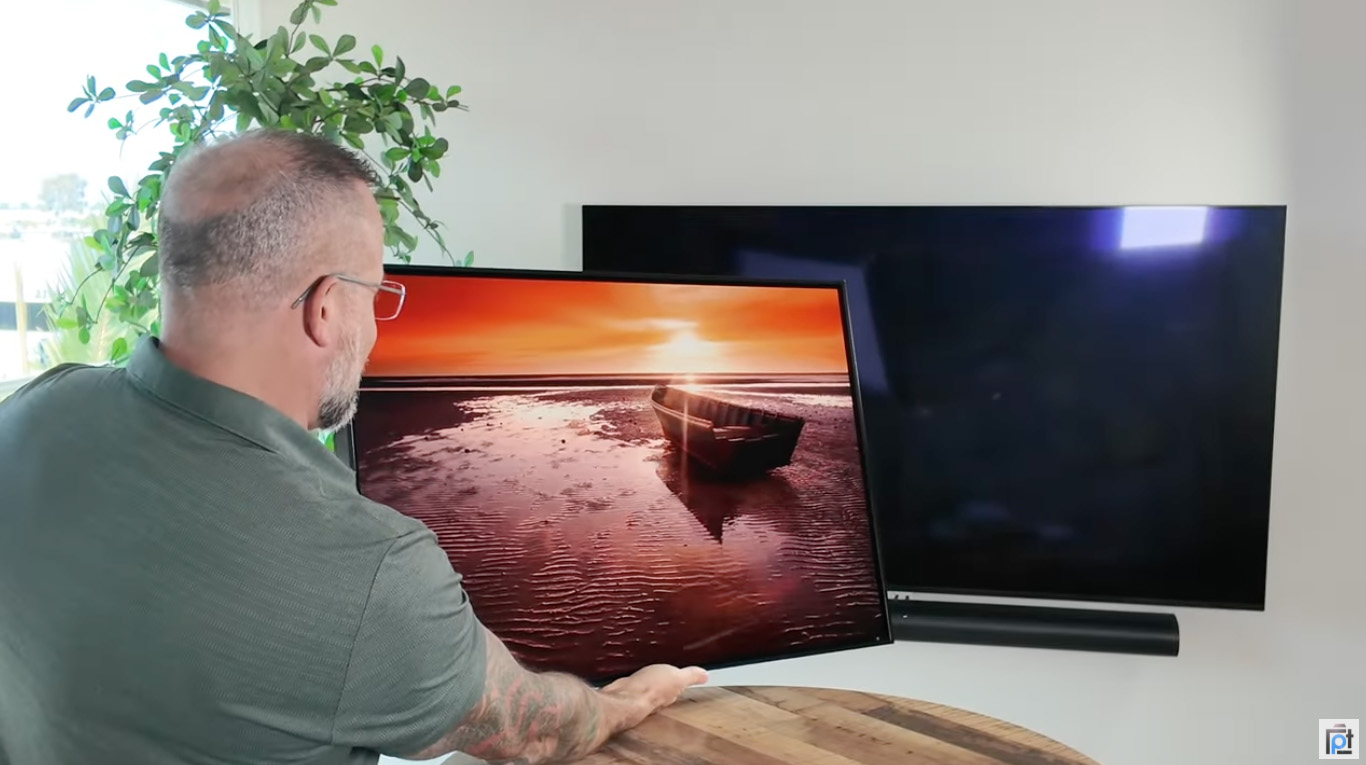
Shiny Prints is the metal print lab I’ve returned to consistently over six years of print testing. They’re an authorized ChromaLuxe HD lab, one of relatively few in the country, and they use F-series Epson printers rather than converted machines with third-party inks. That distinction matters for fog images specifically: wider color gamut means the subtle blue-grey tones in mist separate cleanly rather than blending into a single undifferentiated grey. For my own fog and landscape work, I’ve ordered both White Semi-Gloss for a slightly softer surface and Silver Gloss when I want the metallic undertone to add depth to night-fog shots.
If you want a detailed breakdown of what separates Shiny Prints from other labs, including side-by-side quality comparisons, see my full Shiny Prints metal prints review. For a wider look at how Shiny Prints compares to other top metal print services, my best metal prints roundup covers the full competitive landscape with hands-on testing notes.
Pros and Cons of Fog and Mist Photography
Pros
- Natural depth and layering that would take hours to create in post-processing
- Soft, even light reduces harsh shadows that complicate landscape exposures
- Fog simplifies busy scenes, eliminating distracting background clutter automatically
- Silhouette subjects gain immediate visual impact against a bright mist background
- Moody tonal quality prints exceptionally well on metal, with luminous mid-tones
- Crepuscular rays and backlit mist glow create effects unavailable in any other weather
- Familiar locations look completely different, extending the creative life of known spots
Cons
- Fog windows are narrow; conditions shift within 30 to 60 minutes of sunrise
- Camera meters consistently underexpose bright mist by 1 to 2 stops without compensation
- Autofocus fails in low-contrast fog, requiring manual focus for every shot
- Moisture builds on lens elements quickly, requiring frequent cleaning mid-shoot
- Fog formation is difficult to predict accurately even with quality weather apps
- Flat grey overcast without directional light produces uninteresting, muddy images
Final Thoughts
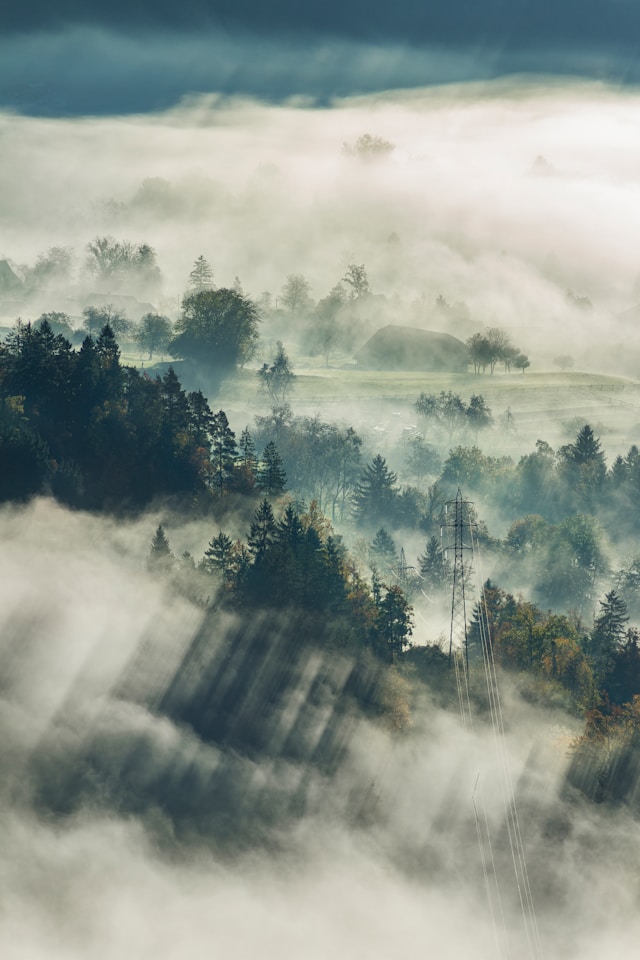
Photo by Neven Krcmarek on Unsplash (license)
Fog and mist photography rewards the photographer who prepares, shows up early, and adapts quickly. The technical adjustments are not complex: add exposure compensation, switch to manual focus, mount your camera on a tripod, and shoot RAW. What separates a forgettable foggy snapshot from an image worth printing large is understanding how light behaves in fog, how to position yourself relative to that light, and how to compose so the natural layering fog creates reads clearly on a two-dimensional surface.
After more than two decades in the field, foggy mornings remain among my favorite shooting conditions. The unpredictability is part of the appeal. You plan, you show up, and then fog surprises you with something you didn’t expect. The valley mist burns off faster than predicted and you get five minutes of transitional light instead of thirty, or it clears in patches and shafts of light appear between the gaps. Adapting to what you’re given rather than what you planned for is one of the more valuable skills landscape photography teaches.
When a fog session produces images worth keeping, print them on a surface that honors the tonal work. Metal prints from a quality ChromaLuxe lab hold the subtle gradations in mist better than any paper surface I’ve tested. The luminosity of a White Gloss or Silver Gloss panel adds a quality to fog images that makes them look closer to what you saw standing in the field than any other reproduction method. Fog photography is worth the alarm clock, the cold, and the uncertainty. The results, printed properly, are worth the wall space.
Frequently Asked Questions
What camera settings work best for fog and mist photography?
Set your aperture between f/8 and f/16 for broad landscape sharpness, apply +1 to +2 stops of exposure compensation to prevent underexposure, and keep ISO at your base value (typically ISO 100) while mounted on a tripod. Switch to manual focus, because autofocus hunts ineffectively through low-contrast fog. Shoot RAW for maximum tonal control in post-processing, where white balance and subtle contrast adjustments have the biggest impact on mood.
When is the best time to photograph fog?
The 30 minutes before and 90 minutes after sunrise are the prime fog photography window. Radiation fog, the most photogenic type, forms overnight when the ground cools and moisture condenses, then burns off once the sun raises surface temperatures. Arriving before dawn gives you time to scout a position before the light arrives. Look for conditions that combine high overnight humidity (85% or above), clear skies, temperatures near the dew point, and calm winds.
Why do my fog photos look grey and flat?
Your camera’s metering system reads the bright, reflective water droplets in fog as potential overexposure and underexposes the scene to compensate. The fix is exposure compensation: add +1 stop as a starting point, check your histogram, and push to +2 stops if the fog still looks muddy. Also check your white balance; a neutral or slightly cool setting (4,500–5,500K) typically renders fog tones more accurately than the auto setting, which often shifts warm in grey light.
What locations are best for moody landscape fog photography?
River valleys, lake basins, coastal lowlands, and forested hollows trap fog because cold air sinks into low terrain. Elevated vantage points overlooking a fog-filled valley are particularly effective: foreground elements above the fog stay crisp while the middle distance dissolves into mist, creating strong natural layering. Revisiting familiar spots across seasons helps you build a mental map of how fog behaves at each location, so you arrive in position efficiently when conditions align.
Why do metal prints work well for foggy landscape photos?
Fog images concentrate their tonal information in subtle mid-tone gradations. The dye-sublimation process used to create ChromaLuxe metal prints infuses color directly into the aluminum surface, producing a luminous quality that makes those gradations visible in a way paper surfaces, which absorb light, often don’t. Metal panels also support wider color gamut output than standard photo paper, which preserves the blue-grey tones in mist rather than collapsing them into undifferentiated grey. Labs like Shiny Prints, which use F-series Epson printers and genuine ChromaLuxe panels, consistently produce the sharpest and most color-accurate results for this type of image.
Should I use a polarizing filter for fog photography?
A circular polarizer is generally not useful in pure fog conditions because polarizers reduce glare from light reflecting off surfaces at specific angles, and fog scatters light in all directions rather than reflecting it from a single angle. However, polarizers become helpful when fog is present alongside water, wet foliage, or wet rocks in the foreground: they cut surface glare on those elements while leaving the atmospheric mist unaffected. A neutral density filter is more broadly useful in fog, enabling longer shutter speeds that smooth moving mist into painterly gradients without requiring you to raise ISO.
Just so you know, some of the cool stuff we mention comes with affiliate links, meaning we earn a commission if you buy (no extra charge to you!). Plus, we occasionally feature sponsored content, but rest assured, we only shout out products we genuinely stand behind.
Hero photo by Artem Sapegin on Unsplash (license)

