


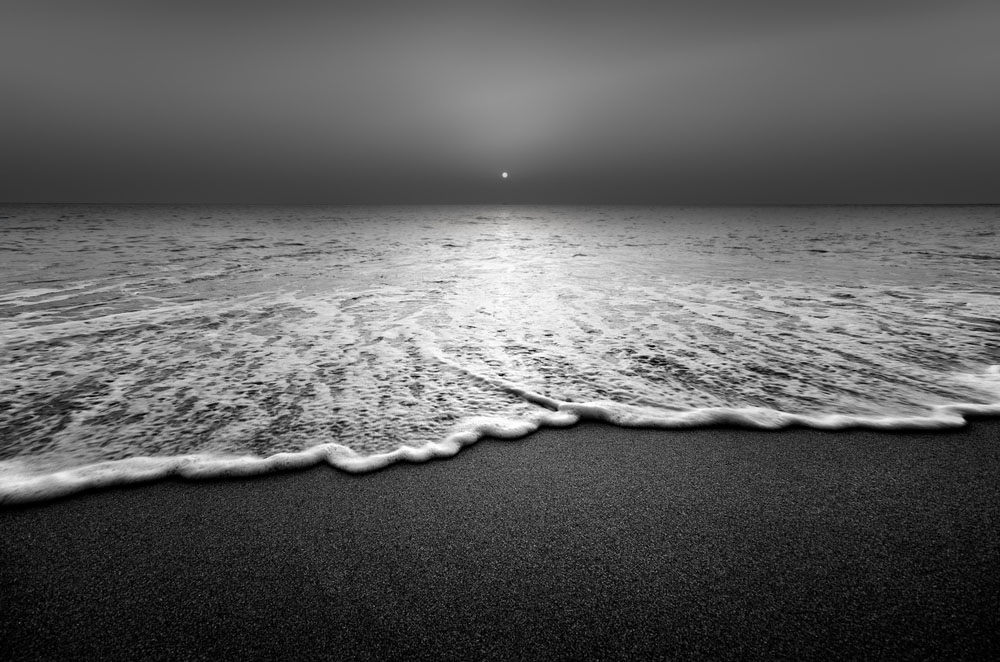
Black and white photography changed how I see long before it changed how I shoot. When I switched my camera’s viewfinder to a monochrome preview and worked consistently in monochrome, color stopped being the first thing I reached for when evaluating a scene. Instead, I started reading light. After decades shooting in the American West and sitting with nearly 200 prints on everything from matte paper to aluminum, the shift still strikes me as one of the most useful moves a photographer makes. Removing color doesn’t impoverish the image. Instead, it teaches you to see what was always there.
The practical stakes are real and extend well beyond the field. Six years of print reviews have shown me consistently: a strong black and white image on a silver-gloss metal substrate is something else entirely. The aluminum surface itself functions as the brightest highlights, giving luminosity to shadows and midtones beyond what any matte paper delivers. Every tonal decision you made in the edit shows up on the wall. So does every lazy one!
This guide covers the eye training, the technical framework, and the print payoff from committing to monochrome with intent. Let’s get started!
Quick Facts:
- Topic: Black and white photography: seeing and shooting in monochrome
- Skill level: All levels; intermediate photographers gain the most from the pre-visualization framework
- Core idea: Removing color forces reliance on light, contrast, texture, and form: the fundamentals behind every strong image
- Key tools: Squint test, monochrome preview mode, color-channel mix in post
- Time required: 8 minutes to read; one outing to shift your eye
- Cost: Free to apply; Shiny Prints silver-gloss metal prints start at $16 for an 8×8
- Best for: Photographers who want stronger compositional instincts and images worth printing on metal
8 min read
In This Guide
- Black and White Photography Overview: What Changes When Color Leaves
- The Four Elements of Monochrome Photography
- Learning to See in Black and White Before You Shoot
- Tonal Range: The Full Spectrum From Black to White
- In-Camera Choices: RAW vs. JPEG and Preview Mode
- Post-Processing: The Color-Channel Mix and Why It Matters
- The Print Payoff: Why Black and White Photography Belongs on Metal
- High-Contrast vs. Low-Contrast Monochrome: Which Approach Fits Your Work?
- Pros and Cons of Shooting in Monochrome
- Final Verdict
- Frequently Asked Questions
Black and White Photography Overview: What Changes When Color Leaves

Black and white photography is the practice of creating images using only luminance (the brightness of light) rather than hue. Without color, the viewer’s eye shifts toward contrast, shape, form, and texture. These are the same elements present in every color photograph, but color often overwhelms them. Remove it, and the image’s structural bones become visible.
This shift in emphasis changes what makes a scene worth photographing. A red barn in a green field may be striking in color because the complementary palette carries the image. In black and white, both the barn and the field render as similar mid-tones, and the color relationship disappears entirely. The image succeeds or fails on light direction, shadow placement, and the graphic quality of the barn’s shape against the sky. Knowing this before you press the shutter is what separates a photographer who converts images to grayscale from one who shoots monochrome with intent.
Overall, every major genre benefits from the monochrome discipline. Landscape photographers learn to read directional light and wait for shadows. Portrait photographers learn to see skin texture and expression instead of hair color. Street photographers learn to read gesture and light together rather than leaning on color contrast to carry the frame. The discipline transfers even when you return to color.
Print Your Best Monochrome Work
Silver-Gloss Metal: Where Monochrome Comes Alive
On Shiny Prints’ silver-gloss ChromaLuxe panels, the aluminum surface becomes the brightest highlights in your image, adding luminosity no matte paper delivers.
The Four Elements of Monochrome Photography
When color is removed, four elements carry the entire weight of the image. Together, they form the foundation of strong black and white photography.
| Element | Role in Monochrome |
|---|---|
| Contrast | The difference between light and dark; sets the emotional tone from bold drama to quiet subtlety |
| Tonal range | The full spectrum of grays between pure black and pure white; determines depth and richness |
| Texture | Surface detail made visible by light direction; strongest under side or directional light |
| Form and shape | The geometry and volume of subjects defined by tonal edges and shadow gradients |
No single element dominates; in practice, the best monochrome images use all four together. High contrast defines form through strong tonal edges. Tonal range gives depth to surfaces between the extremes. Texture is the tactile layer, revealed by light direction. Form and shape hold the composition together when all other visual information is stripped away. Practice spotting these in your environment before raising the camera.
Learning to See in Black and White Before You Shoot

Pre-visualization is the single most important skill in monochrome photography, more important than any post-processing technique. Before pressing the shutter, you need to see the scene without color, read its tonal relationships, and decide whether the image works in grayscale. Specifically, there are two practical tools for developing this.
The Squint Test
First, close one eye and squint with the other. Squinting simplifies the scene by reducing detail and compressing the tonal range into a rough sketch. What remains visible is the image’s tonal structure: which areas are light, which are dark, and where contrast exists between them. If the squinted view is interesting, the image likely works in monochrome. When everything reads as the same gray, the scene is a poor candidate regardless of how attractive the color version appears.
The Monochrome Preview
Most modern cameras let you set a picture style or creative preset to monochrome. Shooting RAW with this setting active gives you the best of both approaches: the in-camera preview and LCD display show the scene in black and white while the RAW file retains all color data for post-processing. Composing while seeing in black and white also trains your eye to evaluate tonal relationships in real time, making pre-visualization instinctive over weeks of use rather than months.
Together, these two tools reinforce each other. Use the squint test in the field to quickly evaluate unfamiliar scenes without raising the camera. The monochrome preview refines composition once you’ve decided the scene is worth shooting. After several weeks, you’ll find yourself instinctively reading scenes tonally even when shooting in color, a training benefit I mention in my workshops because it improves color work too.
Tonal Range: The Full Spectrum From Black to White

In black and white photography, tonal range describes the distribution of grays between pure black and pure white. Specifically, this spectrum runs from Zone 0 to Zone 10 in Ansel Adams’ terminology. A wide tonal range (deep blacks, luminous whites, and rich midtones throughout) produces images with depth and three-dimensionality. Ranges dominated by mid-grays produce flat results even when the subject and composition are strong.
Achieving a wide tonal range starts with exposure. Expose for the highlights first: protect the brightest areas from blowing out while trusting the shadows to hold detail in a RAW file. Ansel Adams’ Zone System, a framework assigning tones from Zone 0 (pure black) to Zone 10 (pure white), remains the clearest mental model for this, even in a digital workflow. Most strong monochrome images use the full span from Zone 2 to Zone 8, with intentional pure blacks and whites at the extremes for anchor points.
Light quality drives tonal range more than any camera setting. Hard directional light creates deep shadows and bright highlights simultaneously, extending the tonal range within a single frame. Soft diffused light compresses the range toward the midtones, producing a narrower, more subtle palette. Neither is wrong; the choice depends on the emotion you’re after. Understanding the difference lets you select the right light for the image you intend to make, not merely the light available on arrival.
In-Camera Choices: RAW vs. JPEG and Preview Mode

The camera setup for black and white photography comes down to one non-negotiable decision: shoot RAW. Specifically, a RAW file preserves all color channel data even when the camera renders the preview in monochrome.. This matters significantly because the most powerful tool in post-processing black and white images: the color-channel mix requires the underlying color data to function.
By contrast, shooting JPEG with monochrome mode active bakes the conversion into the file using the camera’s internal algorithm. The result is permanent and surrenders color-channel control. For casual exploration, JPEG monochrome is fine. Serious black and white photography where tonal precision matters RAW is the only practical choice.
The preview mode decision is separate from the RAW/JPEG decision, yet equally important for eye training. Set the camera’s picture style to monochrome so the LCD and electronic viewfinder display black and white even while the RAW file records in color. This is the fastest path to developing a monochrome eye because you evaluate every frame tonally in real time.
Post-Processing: The Color-Channel Mix and Why It Matters

Desaturating a color image is not black and white photography; instead, it’s the fastest route to a flat, lifeless result.. The color-channel mix, available as a Black and White adjustment layer in Photoshop or through the HSL/Color panel in Lightroom, is the tool separating a considered monochrome conversion from a desaturated one.
Each color in the original image contributes a specific gray tone when converted. The channel mix lets you choose how much each contributes. Dragging the red slider up brightens reds and oranges in the gray conversion, darkening blue skies dramatically and making skin tones glow. Pulling the blue slider down darkens blue skies to near-black, creating the high-drama effect associated with traditional red-filter photography on film. Green sliders control foliage and allow separation between subjects whose colors appeared similar.
This control is the digital equivalent of colored glass filters used in film-era black and white photography. A red filter darkened skies by blocking blue light from reaching the film; a green filter lightened foliage and separated it from mid-tone subjects. In Lightroom or Photoshop, you achieve the same result with sliders and without the light loss. The key lesson: two colors appearing quite distinct in a color image sometimes render as nearly identical grays unless you use the channel mix to create separation between them. Reds and greens are the most common trap.
Trusted by PhotographyTalk
Print It on the Substrate Monochrome Deserves
Shiny Prints earned a perfect 30/30 from me twice. Their neutral-accurate Epson F9570 keeps black and white conversions honest from screen to aluminum.
The Print Payoff: Why Black and White Photography Belongs on Metal

On a physical print, every tonal decision you made in the edit reveals itself. The substrate choice determines how those decisions land. After nearly 200 print reviews across canvas, paper, acrylic, and metal, the conclusion is consistent: a well-executed black and white image on a silver-gloss metal panel is the strongest physical form the medium takes.
Structurally, the substrate does something paper never delivers. On a silver-gloss metal print, the aluminum surface itself functions as the brightest highlights. Pure whites in your image are not ink or dye sitting on a reflective surface; they are the surface. The substrate and the image become one material. Deep blacks develop genuine depth because the dye-sublimation process embeds the image into the aluminum rather than coating it. The result is a tonal range wider and more luminous than any paper print delivers, and it matches the full-spectrum ambition of a well-processed monochrome conversion.
Learning which images look best on a metal print quickly confirms what monochrome shooters suspect: high-contrast images with deep blacks and bright whites are the ideal candidates. Shiny Prints’ switch to the Epson F9570 specifically improved neutral tone accuracy, which is critical for black and white printing where any color cast in the grays ruins the conversion. My full Shiny Prints review covers the complete scoring in detail, including two perfect 30/30 evaluations. For softer monochrome work, including low-contrast fog-heavy landscapes or quiet portraiture, a fine-art matte paper lab remains the best alternative.
High-Contrast vs. Low-Contrast Monochrome: Which Approach Fits Your Work?

The most meaningful decision in black and white photography is not which subjects to shoot but which tonal approach serves each image. These two approaches produce fundamentally different emotional results and suit different genres.
High-contrast black and white uses the full tonal range with strong separation between the brightest and darkest areas. The effect is bold, graphic, and immediate. Strong shadows define form. Pure blacks anchor the composition. Bright highlights draw the eye. Street photography, architecture, dramatic portraiture, and stormy landscapes thrive in high contrast. On a silver-gloss metal print, high-contrast monochrome gains another dimension entirely: the metal surface adds luminosity to highlights the eye reads as dimensional rather than flat.
By contrast, low-contrast monochrome compresses the tonal range into the midtones, producing a softer, more atmospheric result. Fog, early morning light, quiet interiors, and intimate portraiture work best in this register. The mood is contemplative rather than bold. Low-contrast monochrome does not belong on silver-gloss metal; the substrate amplifies contrast and would actively fight the image’s intent. Instead, reach for a warm-toned matte paper or a white-matte metal surface, per my beginner tips for printing photos and substrate guidance.
In terms of value, both approaches cost the same to shoot and convert. The difference is entirely in the editing choices and the print destination. Choosing the approach before shooting, not after, produces more consistent results and reduces editing time.
Pros and Cons of Shooting in Monochrome
Pros
- Builds pre-visualization skills through tonal evaluation transferring to color work
- Removes color distraction and forces reliance on light, form, texture, and contrast
- High-contrast monochrome on silver-gloss metal is the most luminous print format available to photographers
- Color-channel mixing in post provides precise tonal control equal to or exceeding film-era filters
- Timeless visual register: monochrome images rarely date the way heavily color-graded work does
- Extends shooting in difficult light conditions where color casts would ruin a color image
Cons
- Scenes relying on color relationships for impact (autumn foliage, golden-hour warm/cool contrast) often lose their power in monochrome
- Learning tonal pre-visualization takes consistent practice; the eye doesn’t shift overnight
- A poor monochrome conversion (simple desaturation) produces worse results than keeping the image in color
- Low-contrast monochrome on the wrong substrate looks flat and disappointing
- RAW workflow with color-channel mixing adds editing time compared to color images
Final Verdict

Black and white photography is worth pursuing at every skill level, but it rewards commitment more than experimentation. The eye training (pre-visualization, tonal reading, the squint test) takes weeks to become instinctive. Once it does, it improves everything you shoot, including color work. Photographers who spent three to six months shooting exclusively in monochrome consistently describe it as the single shift producing the strongest portfolio improvement.
However, the main limitation is genre: subjects whose power lives entirely in color lose their strongest argument in monochrome. For those, color is the right choice, and no amount of technical skill in the conversion changes the source material. Outside of color-dependent genres, the monochrome discipline almost always produces more intentional, more structurally sound images over time.
When your monochrome work earns the wall, give it the substrate built for the medium. A custom metal print on silver-gloss ChromaLuxe is the most complete physical expression of a high-contrast black and white image available to a photographer today. My full Shiny Prints review explains why they’ve earned two perfect scores from me and why they’re the lab I recommend first for monochrome work.
Ready to Print?
Your Best Monochrome Work Belongs on Metal
Shiny Prints ships with a limited lifetime warranty, free shipping on orders over $99, and custom sizes up to 48×96 inches on authentic ChromaLuxe panels.
Frequently Asked Questions
What is black and white photography?
Black and white photography is the practice of creating images using only luminance (brightness) rather than hue. Without color, the viewer’s eye focuses on contrast, tonal range, texture, and form. Monochrome photography includes true black and white as well as single-color toning (sepia, cyanotype), but black and white remains the most widely practiced form.
How do you see in monochrome?
Learning to see in monochrome requires two practices: the squint test and the camera preview. Specifically, squinting in the field compresses detail and reveals tonal structure: if the squinted view is interesting, the scene likely works in black and white. Setting your camera’s picture style to monochrome trains your eye in real time as you compose, making tonal pre-visualization instinctive over weeks of consistent use.
What makes a strong black and white photo?
A strong black and white photo uses a wide tonal range from deep blacks to luminous whites, with well-differentiated midtones throughout. Contrast separates subjects from backgrounds. Texture is revealed by directional light. Form is defined by tonal edges rather than color. The underlying composition must work structurally because no color relationships exist to compensate for a weak arrangement.
Is it better to shoot in black and white or convert later?
Shoot RAW with a monochrome camera preview active. This gives you tonal pre-visualization while composing while retaining all color data for a full color-channel mix conversion in post. Baking a JPEG in-camera as black and white permanently surrenders the color-channel control needed for the most precise monochrome conversions.
How does black and white photography look on a metal print?
High-contrast black and white on a silver-gloss metal print produces the most luminous result available in photography printing. The aluminum surface functions as the brightest highlights, giving the image a dimensional quality no paper substrate matches. Neutral tone accuracy is critical; any color cast in the grays ruins the conversion, which is why labs with precise neutral rendering, like Shiny Prints, matter more for monochrome work than for color printing.
A quick heads-up: If you snag something through our affiliate links or check out our sponsored content, we might earn a commission at no extra cost to you. But fear not, we’re all about recommending stuff we’re truly stoked about!

