


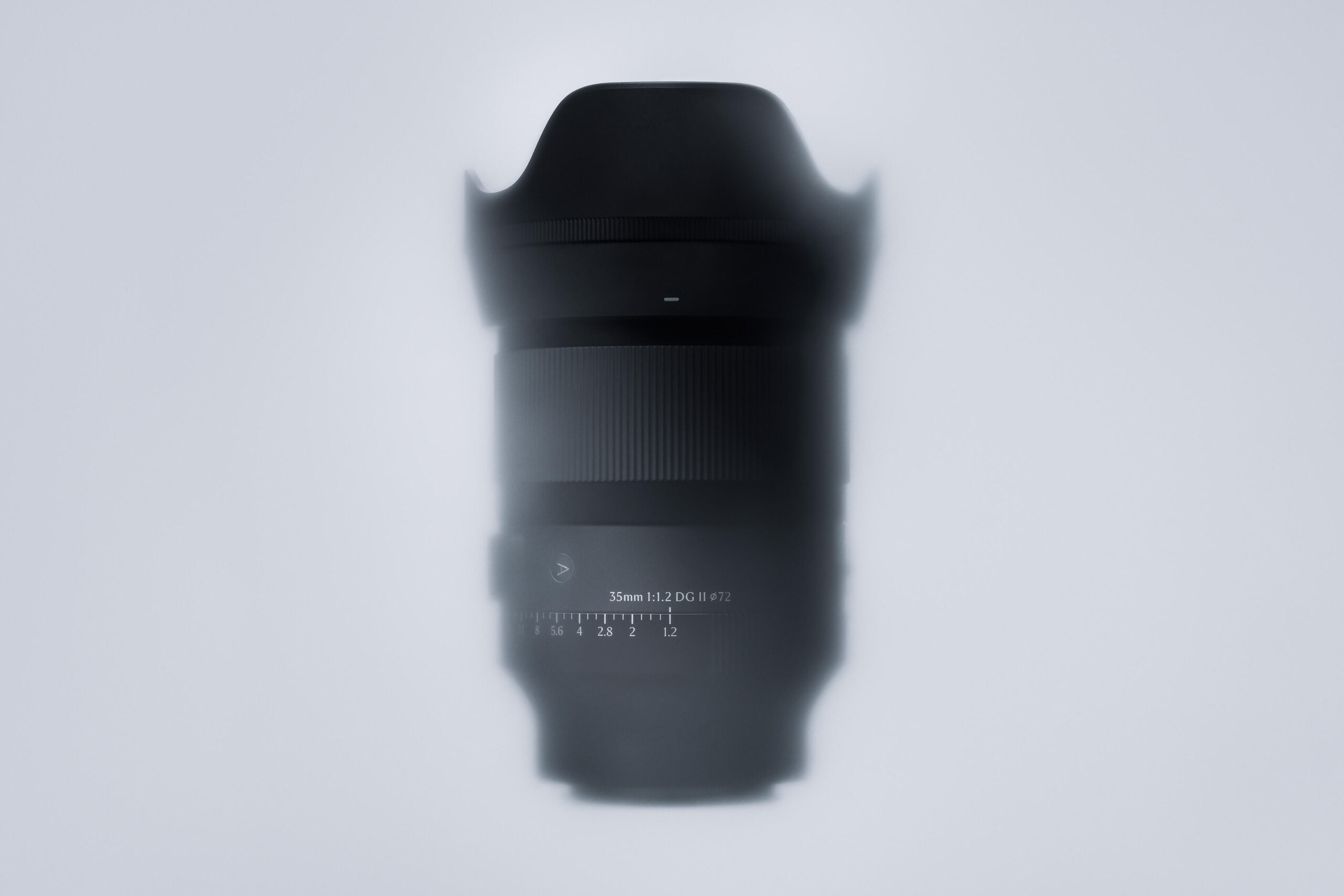
Quick Facts:
- Issue: Sony A7 V bodies freeze or black out during burst shooting with certain Sigma lenses attached
- Cause: A compatibility bug between the A7 V’s sensor readout and Sigma’s Sony E-mount lens firmware
- Fix: A Sony A7V firmware update delivered through Sigma’s lens firmware, not a Sony camera firmware release
- Lenses covered: 12 Sigma DG DN Sony E-mount lenses across two firmware waves (June 25 and July 23, 2026)
- Update tool: Sigma’s free Lens System Software Updater, run from a computer tethered to the camera
- Cost: Free
- Best for: A7 V owners shooting Sigma glass in burst or continuous drive modes
8 min read
In This Guide
Sony A7V Firmware Update Overview
A Sony A7V firmware update from Sigma now fixes a burst-mode freeze bug. This bug has frustrated A7V owners since the camera shipped. Specifically, photographers using certain Sigma E-mount lenses reported the camera’s monitor blacking out mid-shoot. Sigma confirmed the issue and shipped corrected lens firmware in two waves. The most recent wave landed July 23, 2026, detailed in Sigma’s own newsroom announcement.
This guide covers what breaks, which lenses are involved, and how to install the fix yourself. It also explains why the bug shows up specifically in burst mode. The A7V’s 30 fps blackout-free shooting pushes lens communication harder than any earlier Sony A7-series body. If you shoot Sigma glass on a Sony A7V camera, this is the fix you need. This applies especially if you have seen a frozen screen mid-session.
Here is the short version. Notably, this is not a Sony camera firmware problem. Notably, Sony’s own ILCE-7M5 system software is not the source of the freeze. Similarly, Sony has not issued a public statement on the bug. Instead, the fix lives entirely on the lens side, through Sigma’s own firmware updater.
| Confirmed Fix (July) | Confirmed Fix (June) | Confirmed Fix (June) | Confirmed Fix (July) | |
|---|---|---|---|---|
| Product | TOP PICK Sigma 35mm F1.4 DG DN Art Sigma 35mm F1.4 DG DN Art |  Sigma 85mm F1.4 DG DN Art Sigma 85mm F1.4 DG DN Art |  Sigma 24mm F1.4 DG DN Art Sigma 24mm F1.4 DG DN Art |  Sigma 45mm F2.8 DG DN Contemporary Sigma 45mm F2.8 DG DN Contemporary |
| Rating | ★★★★★ 4.7 430 ratings | |||
| Mount | Sony E | Sony E | Sony E | Sony E |
| Lens Type | Prime | Prime | Prime | Prime |
| Firmware Wave | July 2026 | June 2026 | June 2026 | July 2026 |
| Price | $974.00 as of Jul 28, 12:01 am | $1,130.00 as of Jul 28, 12:01 am | $829.00 as of Jul 28, 12:01 am | $308.99 as of Jul 28, 12:01 am |
| Check Price → | Check Price → | Check Price → | Check Price → |
What’s Actually Happening on the Sony A7V
Owners describe a consistent pattern. The A7 V freezes for roughly 10 to 15 seconds during or right after a burst sequence. Notably, this usually happens in Medium or High continuous drive mode. The screen goes black and the shutter stops responding. Then the camera recovers on its own with an audible click, without needing a battery pull. Sigma describes the bug more narrowly than a burst mode lockup, calling it a monitor freeze instead. The company’s newsroom notice says the monitor rarely blacks out and freezes when a covered lens pairs with the A7V. This description matches what shooters report in the field.
Threads on r/SonyAlpha echo the same general symptom. Users describe the freeze occurring during burst shooting. They ask whether it is a known firmware bug or a setting conflict. However, Reddit’s own thread content is not independently citable here. Instead, treat these reports as consistent with, rather than proof of, Sigma’s official description.
Instead, Sigma lenses for Sony E-mount are not adapted L-mount glass running through a converter. In particular, Sigma licenses the E-mount protocol directly from Sony, the same way Tamron does. These lenses talk to the camera at the same protocol level as Sony’s own glass. This licensing relationship explains why Sigma, not Sony, resolves the bug with a firmware-level fix.
Affected Sony A7V Lenses and Firmware Versions
Sigma shipped this fix in two newsroom releases, both for Sony E-mount. The June 25, 2026 wave covered five lenses. The July 23, 2026 wave added seven more, for 12 distinct optical designs total. Sigma’s firmware pages list each July lens twice under slightly different label conventions, which is why some press coverage cites “13 lenses” for this single wave. Combined with the five June lenses, Sigma’s update applies to 12 unique models.
| Lens (Sony E-Mount) | Fixed Firmware | Release Date |
|---|---|---|
| Sigma 20mm F1.4 DG DN Art | Ver.03 | June 25, 2026 |
| Sigma 24mm F1.4 DG DN Art | Ver.03 | June 25, 2026 |
| Sigma 35mm F2 DG DN Contemporary | Ver.05 | June 25, 2026 |
| Sigma 50mm F2 DG DN Contemporary | Ver.03 | June 25, 2026 |
| Sigma 85mm F1.4 DG DN Art | Ver.05 | June 25, 2026 |
| Sigma 35mm F1.4 DG DN Art | Ver.05 | July 23, 2026 |
| Sigma 45mm F2.8 DG DN Contemporary | Ver.07 | July 23, 2026 |
| Sigma 17mm F4 DG DN Contemporary | Ver.03 | July 23, 2026 |
| Sigma 20mm F2 DG DN Contemporary | Ver.04 | July 23, 2026 |
| Sigma 24mm F2 DG DN Contemporary | Ver.04 | July 23, 2026 |
| Sigma 65mm F2 DG DN Contemporary | Ver.04 | July 23, 2026 |
| Sigma 90mm F2.8 DG DN Contemporary | Ver.04 | July 23, 2026 |
First, check your copy’s exact model before assuming you are covered. Sigma’s firmware pages list the version by lens and mount. Alternatively, the update tool reads your lens automatically, showing your current version before it changes anything.
How Sigma’s Fix Works
Sigma’s fix targets communication timing between the lens and the A7 V’s sensor readout. Instead, it does not touch the lens optics or the autofocus motor. As a result, image quality, autofocus speed, and stabilization performance stay identical before and after the update. Only the freeze behavior changes. However, Sigma has not published a detailed technical explanation of the root cause. Instead, the company’s public language stays limited to describing the symptom and confirming the fix. Treat any deeper theory about sensor readout timing as informed speculation, not an official explanation.
The fix lives in lens firmware rather than camera firmware. Because of this, A7V owners with unaffected lenses see no change and need no update. This includes Sony-branded glass and any Sigma lens outside the 12 listed above. Similarly, Sigma lenses used on other camera bodies were never affected by this specific bug. It only appears alongside the A7 V’s own sensor readout behavior.
How to Run the Sigma Lens Firmware Update
Sigma’s Sony E-mount update runs through one free program. It is called Lens System Software Updater, downloaded from Sigma’s support site for your specific lens model. This differs from the USB Dock and Sigma Optimization Pro process Sigma uses for some Canon and Nikon mount lenses. For Sony E-mount, the lens updates directly through the camera body itself.
- First, confirm your A7 V’s own camera firmware is current before updating the lens. Outdated camera firmware sometimes blocks the lens update from completing.
- Next, attach the Sigma lens to the camera body and remove the memory card.
- Then connect the camera to a Windows 10, Windows 11, or macOS computer using a USB cable. macOS Sonoma, Sequoia, and Tahoe are all supported.
- Mac users need Sony’s own Camera Driver installed first. Download it from Sony’s support site, since Sigma’s updater relies on it to talk to the camera.
- Next, set the camera’s USB connection mode to Mass Storage.
- Open the Lens System Software Updater and follow the on-screen steps. The software transfers new firmware to the camera first, then to the attached lens.
- Once the update finishes, power the camera off. Remove and reinsert the battery, then power back on to complete the process.
The whole update takes about 10 minutes per lens, most of it spent waiting for the transfer. Sigma’s updater confirms your lens’s current firmware version before starting. You will know immediately whether you already run the fixed version.
Why Buffer and Media Speed Matter Here
Rule out your memory card before blaming the Sigma bug. The A7V’s blackout-free burst mode shoots up to 30 fps in 14-bit RAW with full autofocus tracking. This is a considerably heavier data load than any earlier A7-series body produced. Consequently, this workload leans hard on buffer depth and card write speed. A slow or nearly full card sometimes produces a similar-looking stall during long bursts. This happens even when the Sigma firmware bug is not involved. Our memory card buying guide covers matching card speed class to your camera. This matters if you shoot extended sequences on your Sony A7V camera regularly. Fast, high-capacity CFexpress Type A media removes one more variable from the equation.
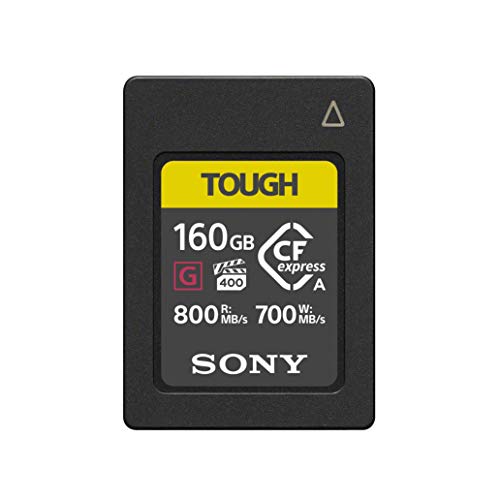
Sony Cea G160t 160GB Cfexpress Type a Tough Memory Card 800 and 700MB and S
The CFexpress Type A format the A7V's card slot uses, built for the sustained write speeds its fastest burst mode demands.
- 800 MB/s read and 700 MB/s write speeds keep pace with 30fps blackout-free bursts
- IP57-rated dust and water sealing for field use
- 160GB capacity holds long burst sessions without a card swap
- CFexpress Type A cards cost more per gigabyte than SD media
Old Firmware vs. New: What Changed
| Behavior | Before Update | After Update |
|---|---|---|
| Burst-mode freeze | 10 to 15 second lockup, no warning | Not reported |
| Autofocus behavior | Unchanged | Unchanged |
| Image stabilization and optics | Unchanged | Unchanged |
Sigma’s release notes cover only the freeze fix itself. Autofocus speed, image stabilization, and optical performance carry over exactly as they were. The fix targets communication timing rather than the lens elements or motor.
The practical difference for working photographers is confidence during paid or time-sensitive shoots. Specifically, a camera freezing mid-sequence during a wedding, a sports assignment, or a wildlife session carries real risk. Since a missed 10-second window sometimes means a missed moment, updated firmware removes this risk for the 12 covered lenses. You get the benefit without changing how you shoot.
Final Thoughts on the Sony A7V Firmware Update
This bug traced to one identifiable hardware combination. Instead of a recall or a long diagnosis process, Sigma fixed it with a free firmware update. This is a fast turnaround for a bug staying hidden until now. Specifically, the problem only surfaced once photographers pushed the A7V’s burst mode hard enough to expose it.
If you own an A7V and any of the 12 lenses listed above, updating takes about 10 minutes and costs nothing. If your Sigma glass is not on the list, or you shoot Sony-branded lenses, this bug never touched your setup. It is still worth checking Sigma’s firmware page now and then. Updates occasionally bundle other improvements alongside a fix like this one.
Watch Sigma’s newsroom directly for the latest word on additional lens coverage, rather than relying on secondhand summaries. The cause and the fix both live in Sigma’s lens firmware, not Sony’s.
FAQ
Why does my Sony A7 V freeze during burst shooting?
A compatibility bug between certain Sigma lenses and the A7V’s sensor readout sometimes causes the monitor to black out. This freeze lasts 10 to 15 seconds and happens most often after an extended burst sequence. Sigma’s firmware update, released in two waves in June and July 2026, fixes this for the 12 affected lenses.
Do I need a USB Dock to update Sigma lens firmware on a Sony A7 V?
No. For Sony E-mount lenses, Sigma’s update runs through a free program called Lens System Software Updater. Install it on a computer and connect the computer to the camera body directly by USB cable. The USB Dock and Sigma Optimization Pro process applies to some Canon-mount and Nikon-mount lenses, not this Sony E-mount fix.
How do I check my Sigma lens firmware version?
Attach the lens to your camera and connect the camera to a computer. Open Sigma’s Lens System Software Updater. It reads your lens’s current firmware version automatically and displays it before any update. You never have to guess.
Which Sigma lenses are affected by the Sony A7 V freeze bug?
12 Sony A7V-compatible lenses across two firmware releases. The June 2026 wave covers five lenses. These are the 20mm F1.4 Art, 24mm F1.4 Art, 35mm F2 Contemporary, 50mm F2 Contemporary, and 85mm F1.4 Art. The July 2026 wave adds seven more lenses. These are the 17mm F4, 20mm F2, 24mm F2, 35mm F1.4 Art, 45mm F2.8, 65mm F2, and 90mm F2.8.
Has Sony commented on the A7 V freeze issue?
Not publicly as of this writing. The bug and its fix both live in Sigma’s lens firmware rather than Sony’s camera firmware. Sony’s system software updates for the A7V are unrelated to this specific issue.

