


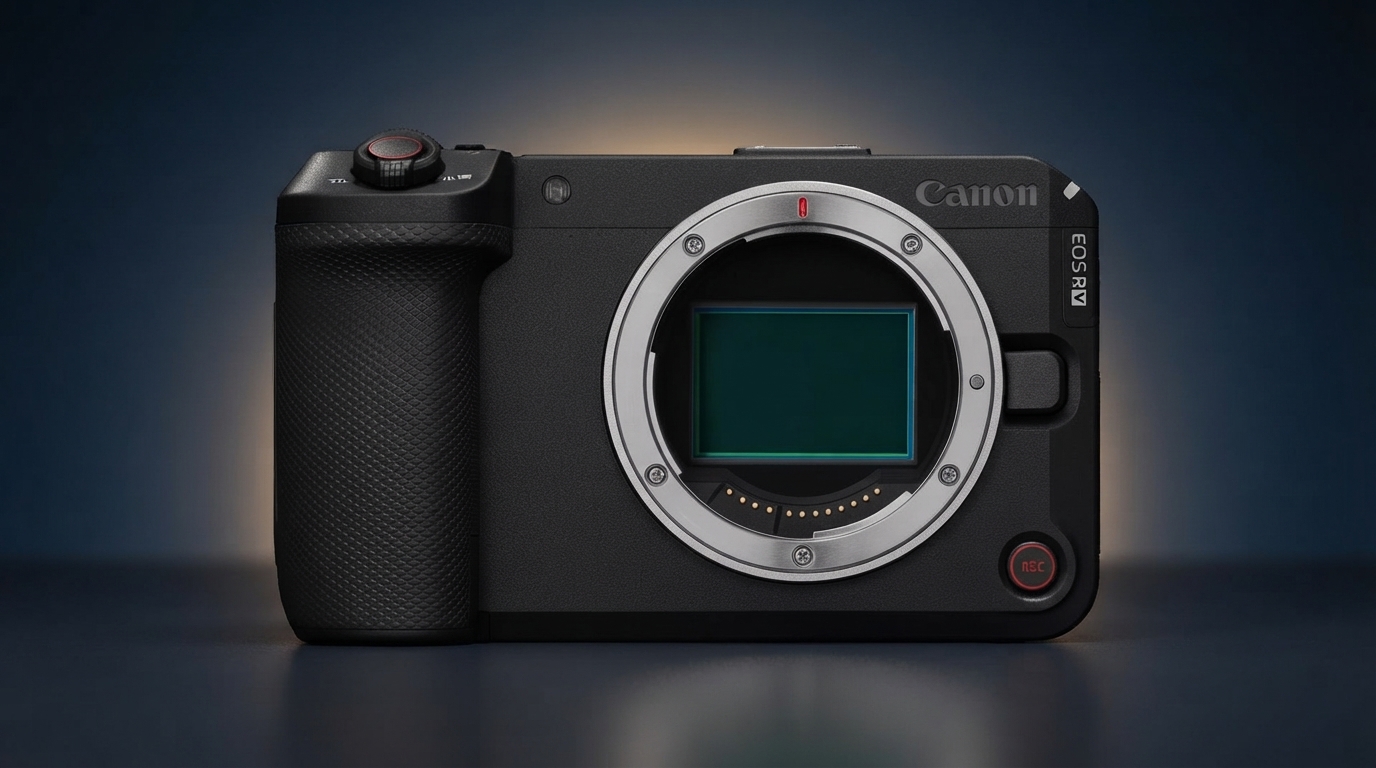
Quick Verdict: The Canon EOS R6 V firmware update fixes the camera’s biggest missing feature. It now fires an external flash. Sync speed still caps at 1/60 second, and the Multi-Function hotshoe still limits which flashes attach directly. Even so, hybrid shooters get a real upgrade at no cost. The same release adds a wireless remote option and SDK access to the R6 III.
Last updated: July 2026 | 8 min read
In This Article
Overview
Canon shipped a new Canon EOS R6 V firmware update this week. It finally lets the camera fire an external flash. The R6 V launched two months ago without flash support. The body relies on an electronic-only shutter instead of a mechanical one, a gap we flagged in our original coverage of the R6 V’s launch. Firmware version 1.1.0 adds flash support back, along with a handful of smaller upgrades for hybrid shooters.
The update adds support for a new wireless remote control. It also opens SDK access for developers building tools around the camera. Canon paired the release with an identical firmware 1.1.0 update for the EOS R6 III. This update brings its own remote support plus several bug fixes. We tracked the rumors before the camera existed, back when our pre-launch coverage of the R6 V rumors pointed to a video-first body around $2,499. It’s worth watching how the finished camera keeps evolving.
Flash support matters because the R6 V otherwise shares most of its still-photography features with the R6 III. Losing flash entirely felt like a strange gap. The camera targets hybrid shooters who still book portrait sessions or events. This firmware update closes the gap, though the result comes with real limits.
Canon’s official EOS R6 V feature overview.
Quick Facts
| Detail | Value |
|---|---|
| Firmware version | 1.1.0 |
| Cameras affected | EOS R6 V and EOS R6 III |
| Headline feature | Flash support added to the R6 V |
| R6 V flash sync speed | 1/60 second (X-sync) |
| R6 V flash compatibility | 21-pin Multi-Function shoe Speedlites (5-pin units need the AD-E1 adapter) |
| New remote support | BR-E2 wireless remote controller |
| Also included | Canon SDK support, bug fixes, stability improvements |
| Release date | July 22, 2026 |
| Availability | Free download now through Canon’s support site or EOS Utility |
Here is how the update leaves the R6 V stacked up against the rest of Canon’s R6 lineup.
| This Week's News | Top Pick | Best Value | Budget Pick | |
|---|---|---|---|---|
| Product |  Canon EOS R6 V Canon EOS R6 V | TOP PICK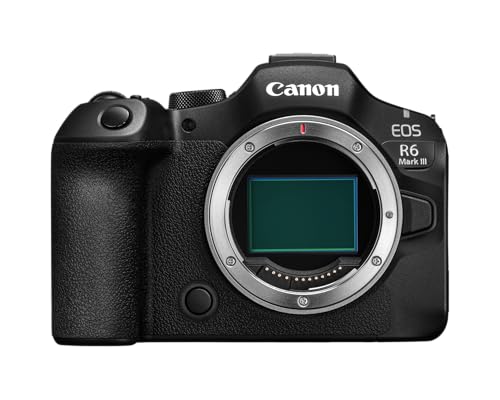 Canon EOS R6 Mark III Canon EOS R6 Mark III |  Canon EOS R6 Mark II Canon EOS R6 Mark II |  Canon EOS R6 Canon EOS R6 |
| Rating | ★★★★☆ 4.5 489 ratings | ★★★★★ 4.7 82 ratings | ★★★★★ 4.7 640 ratings | ★★★★★ 4.8 1,071 ratings |
| Sensor | 32.5MP | 32.5MP | 24.2MP | 20.1MP |
| Flash sync | 1/60 sec, Multi-Function shoe only | Full flash support, mechanical shutter | Full flash support | Full flash support |
| Price | $2,839.95 as of Jul 26, 8:33 pm | $2,799.00 as of Jul 26, 8:33 pm | $1,999.00 as of Jul 26, 12:42 pm | $2,116.53 as of Jul 26, 8:33 pm |
| Check Price → | Check Price → | Check Price → | Check Price → |
What the Canon EOS R6 V Firmware Update Changes
Flash support leads the release notes, but firmware 1.1.0 adds several smaller changes too. The R6 V now works with Canon’s BR-E2 Bluetooth remote. Solo shooters gain a way to trigger the shutter without touching the camera. SDK support opens the door for developers to build custom tools around the camera’s control system. This matters most for studios running tethered or automated setups.
Canon also added a grid display option during movie recording, a feature already common on other R6-series bodies. The update also addressed several bugs, including issues with FTP transfers, interval shooting, and USB connections. Canon frames this firmware update around improved stability, language it repeats in nearly every release.
None of these additions change the R6 V’s identity as a video-first camera. Flash support removes one of the few reasons a working photographer might hesitate before picking one up for still work.
Why the R6 V Shipped Without Flash Support
The R6 V launched without flash support because it relies entirely on an electronic shutter. The R6 III instead offers a mechanical first curtain. Electronic-only shutters read the sensor line by line rather than all at once. This rolling readout has historically made flash synchronization difficult on Canon bodies. Canon’s engineers apparently solved enough of the problem to enable a usable, if slow, sync speed with this update.
According to Canon’s own specification page for the camera, the R6 V’s flash sync speed now sits at 1/60 second. This is slow next to the 1/200-second mechanical sync speed on the R6 III. It rules out the fast sync tricks many event and sports photographers rely on with strobes. For portraits, product shots, or anything shot from a tripod, a 1/60-second sync speed still gets the job done.
The R6 V also lacks a traditional 5-pin hotshoe. Canon’s specs confirm the camera uses its 21-pin Multi-Function shoe instead. This works natively with newer Speedlites but requires the AD-E1 adapter for older 5-pin flash units. Studio photographers who already own a 5-pin flash kit should budget for the adapter. Do not assume everything in the bag connects.
None of this rules out third-party flash gear. Popular brands like Godox and Profoto build triggers and speedlights around the same 5-pin standard most Canon bodies use, so the same adapter requirement applies. Full E-TTL metering support still depends on each brand shipping its own firmware update for the R6 V’s Multi-Function shoe, so shooters relying on third-party lighting should confirm compatibility before a paid job rather than assuming it carries over automatically.
Firmware 1.1.0 for the Canon EOS R6 III
Canon released the same firmware 1.1.0 for the EOS R6 III alongside the R6 V update. The changes land differently, though. The Canon R6 III already shipped with full flash support through its mechanical shutter. This update instead gives the Canon R6 III support for the new wireless remote. It also adds the same SDK access Canon gave the R6 V.
Canon also added an autofocus option for close-up demo shooting and a grid display during movie recording, two features the R6 V already had. The same release patches several bugs specific to the R6 III: FTP transfer errors, an interval-shooting bug, and a USB connection issue. As with the R6 V, Canon describes the update as a stability release rather than a marquee feature drop.
The Canon R6 III already handles flash without restriction. This update reads more like routine maintenance for R6 III owners. The remote and SDK additions matter most to studios and developers who build workflows around Canon’s camera control tools.
How to Install the Canon EOS R6 V Firmware Update
Canon distributes the R6 V and R6 III firmware as a free download. Owners have two practical install paths. Either one takes under fifteen minutes with a charged battery and a formatted memory card.
The first path uses the Canon Camera Connect mobile app. It checks for and installs new firmware directly over a paired Bluetooth or Wi-Fi connection. The second path uses EOS Utility on a computer. Download the update file from Canon’s support site and copy it to a memory card. Insert the card and run the update from the camera’s menu.
Before starting either method, confirm the battery holds a full charge. An interrupted update risks damaging the camera’s internal software. Canon recommends leaving the camera untouched until the confirmation screen appears.
Where the R6 V Fits in Canon’s R6 Lineup
The Rest of the R6 Family
Canon now sells four distinct R6-series bodies. This update shifts the Canon EOS R6 V a little closer to the rest of the family. The R6 III remains the flagship. It offers a mechanical shutter, full flash compatibility, and the fastest continuous shooting in the lineup. We put the R6 Mark II through two years of daily studio and travel use, covered in full in our 2-year long-term review of the R6 Mark II. It still holds up as the best balance of price and capability for photographers who skip 7K video.
The original R6 remains the budget entry point into Canon’s full-frame mirrorless system. Prices on the used market have dropped well below its 2020 launch price. Our own research in our used R6 buying guide found used bodies selling between $880 and $1,480, well under the R6 V’s $2,499 launch price.
Where the R6 V Stands Now
The R6 V still stands apart because of its video specialization. It offers 7K RAW recording, an internal cooling fan for extended sessions, and no viewfinder at all. Flash support narrows the gap with its siblings for still work. Photographers who shoot flash often will still find more headroom on the R6 III or R6 Mark II.
Canon EOS R6 V Mirrorless Camera Body Only + RF 50mm f/1.8 STM Lens, 32.5MP Full-Frame Sensor, DIGIC X Processor + More (14pc Bundle)
The camera behind this week's firmware news, now with flash support built in.
- Now fires an external flash after firmware 1.1.0
- 32.5MP full-frame sensor shared with the R6 III
- 7K RAW video with an internal cooling fan
- 7.5-stop in-body stabilization
- Flash sync speed capped at 1/60 second
- Needs the AD-E1 adapter for 5-pin Speedlites
- No electronic viewfinder
Price still separates the four bodies almost as clearly as feature set does. The R6 III sits at the top of the range, the R6 V and R6 Mark II compete in the middle for hybrid buyers, and the original R6 anchors the budget end through the used market. A shopper’s honest read on how often they need flash now matters more than it did before this update, since it decides which of the four bodies fits best.
Final Thoughts
This Canon EOS R6 V firmware update solves a real problem for owners who shoot stills alongside video work. Flash support was a notable gap at launch. The 1/60-second sync speed and Multi-Function-only hotshoe keep it well short of the R6 III’s flexibility. Most photographers doing portraits, products, or events from a tripod will still find it workable.
The R6 III’s parallel update matters less on its own, since it already handled flash without restriction. Still, the new wireless remote option and SDK access give both cameras more room in existing studio workflows. This helps shooters already tied into Canon’s remote and tethering tools.
Anyone choosing between R6-series bodies right now should weigh video needs against flash needs. Photographers who shoot flash often and rarely need 7K video get more from the R6 III or R6 Mark II. Hybrid creators who prioritize video, and only need flash now and then, now have one less reason to skip the R6 V.
Frequently Asked Questions
What does Canon’s new firmware add to the EOS R6 V?
Firmware 1.1.0 adds flash support for the first time. It also brings a new wireless remote option, Canon SDK access, and several bug fixes. Canon released it on July 22, 2026, as a free download.
Does the Canon EOS R6 V accept a regular flash?
Only Speedlites built for Canon’s 21-pin Multi-Function shoe connect directly. Older 5-pin Speedlites need the AD-E1 adapter, since the R6 V skips a traditional 5-pin hotshoe.
What is the maximum flash sync speed on the EOS R6 V?
Canon’s official specifications list a sync speed of 1/60 second. This sits well below the 1/200-second mechanical sync speed on the R6 III.
How do you install the new firmware on a Canon R6 V or R6 III?
Use the Camera Connect mobile app for a wireless install. Or download the file from Canon’s support site and load it through EOS Utility or a memory card. Keep the battery fully charged during the process.
Does the Canon R6 III also get new features in this update?
Yes. The Canon R6 III receives the same firmware 1.1.0 update. It adds wireless remote support, SDK access, and fixes for FTP, interval shooting, and USB issues. It already had full flash support before this release.
Does the R6 V work with third-party flash brands like Godox or Profoto?
Only through the same adapter path Canon uses for its own older Speedlites. Third-party 5-pin triggers and flashes need the AD-E1 adapter to reach the R6 V’s Multi-Function shoe, and full E-TTL metering still depends on each brand shipping its own compatibility update.
Sources: Canon USA, EOS R6 V firmware support page, Canon USA, EOS R6 Mark III firmware support page, Canon Europe, EOS R6 V full specifications.

