


Quick Facts on Fujifilm Film Simulation Recipes:
- Topic: Fujifilm film simulation recipes
- Gear needed: Any Fujifilm X-series camera
- Best results: X-Trans IV and V sensors
- Skill level: Beginner to intermediate
- Time to set up: About 5 minutes per recipe
- Cost: Free, no software required
- Best for: Shooters who want the film look with no editing
6 min read
In This Article
Fujifilm Film Simulation Recipes Overview
Fujifilm film simulation recipes let you shoot film-style photos with no editing at all. A recipe is a saved bundle of in-camera JPEG settings, built on one of Fujifilm’s classic film looks. Because the camera bakes the look into each shot, your images land ready to share straight out of camera.
This approach has exploded with X-series shooters who prefer time behind the camera over hours in Lightroom. Fujifilm named its color profiles after real film stocks, from Velvia to Acros. As a result, a good recipe feels less like a filter and more like loading a roll of film.
This guide explains what goes into a recipe, then gives you four original starting points to try. You will also learn how to save recipes so they sit one button away. If you shoot Fuji and love the look but hate editing, these Fujifilm film simulation recipes are for you.

What Is a Film Simulation Recipe?
A film simulation is Fujifilm’s color and tone profile, and a recipe fine-tunes it. On its own, a simulation like Classic Negative already leans your colors toward a nostalgic, film-like feel. A recipe then layers extra settings on top, such as dynamic range, tone curves, grain, and a white balance shift.
The point is a finished look with zero post-processing. You choose a mood once, save it, and every frame arrives with the same character. For many shooters, the result rivals a phone edit while keeping the photo authentic, which is exactly why film simulations beat a phone’s auto look.
Recipes only affect JPEG output, not the RAW file. Therefore many shooters record RAW and JPEG together, so they keep a clean negative while enjoying the finished look. If a recipe misses, the RAW file waits as a safety net.
The payoff is speed and consistency. Instead of editing 300 vacation photos, you shoot them in one look and share the same evening. Because the color holds across a whole set, your feed or album feels intentional rather than scattered.
The Fujifilm Film Simulations at a Glance
Every recipe starts with a base film simulation. The table below sums up the most useful ones and the mood each brings. Pick a base first, then tune the details in the next section.
| Film Simulation | The Look |
|---|---|
| Provia (Standard) | Balanced, everyday color |
| Velvia (Vivid) | Punchy, saturated landscapes |
| Astia (Soft) | Gentle contrast, flattering skin |
| Classic Chrome | Muted, documentary tone |
| Classic Negative | Nostalgic color-negative feel |
| Nostalgic Neg | Warm, 1970s print colors |
| Acros | Fine-grain black and white |
| Eterna (Cinema) | Flat, cinematic color |
The Recipe Machine
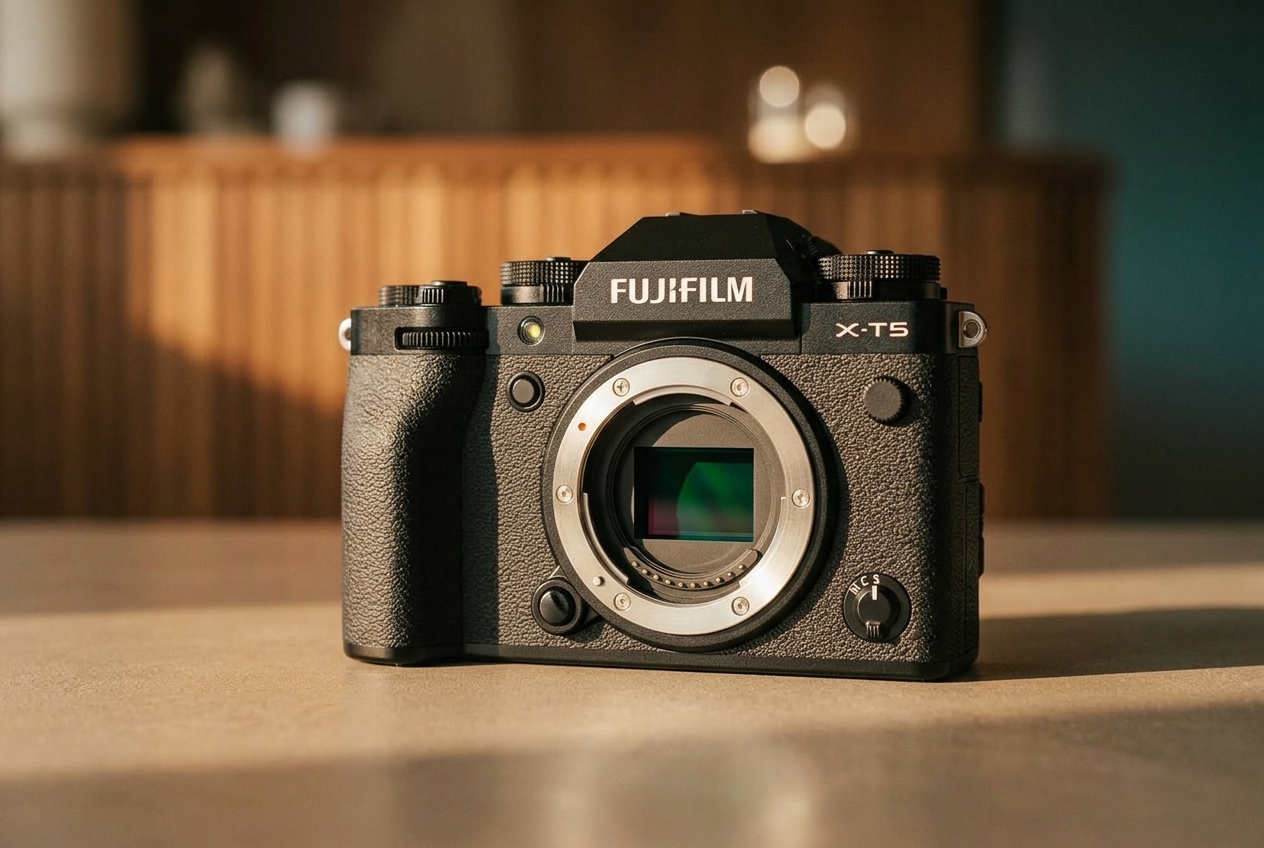
Fujifilm X-T5: A Film-Look Powerhouse
The 40MP X-T5 runs every modern film simulation and the full recipe menu. It is the body most recipe shooters reach for first.
The Settings Inside a Recipe
A recipe is more than a film simulation, so the extra settings do most of the heavy lifting. Learn these controls once, and you will read any recipe with ease. Each one lives in the image quality menu on your Fujifilm body.
Start with dynamic range and white balance, because they set the foundation. Dynamic range (DR100, DR200, or DR400) protects highlights, so brighter scenes benefit from DR400. A white balance shift moves color toward warm or cool, and a small shift like plus 2 red gives skin a pleasant glow. You dial this shift on a separate red-to-blue grid inside the white balance menu, apart from choosing Auto.
Next come the tone and texture controls. Highlight and shadow tone adjust contrast, while color sets saturation. Grain effect adds film-like texture in weak or strong amounts, and Color Chrome Effect deepens rich colors. On X-Trans IV and V bodies, extras like Color Chrome FX Blue and Clarity push the look even further.
Grain and Color Chrome deserve special attention, since they sell the film feel. Grain Effect adds texture, and the newer size option lets you match large classic grain or fine modern grain. Color Chrome Effect, borrowed from Fujifilm’s pro film stock, adds depth to reds and yellows without oversaturating the whole frame.
4 Fujifilm Film Simulation Recipes to Try

Use these four recipes as starting points, then tune them to your taste. Each list shows the base simulation first, followed by the settings you enter in the menu. Newer bodies expose every field, while older ones skip a few, so ignore any control your camera lacks. If a recipe never mentions a field, leave it at its default, which is 0 or Off.
Recipe 1: Everyday Classic Chrome
This muted, all-purpose look suits street, travel, and family photos. It leans on a warm white balance shift for friendly skin tones.
- Film simulation: Classic Chrome
- Dynamic Range: DR400
- White Balance: Auto, shift plus 2 red and minus 2 blue
- Highlight tone: minus 1
- Shadow tone: plus 1
- Color: plus 2
- Sharpness: 0
- Noise Reduction: minus 2
- Grain Effect: Weak, Small
- Color Chrome Effect: Weak
Recipe 2: Velvia Landscape Punch
This bold recipe saturates skies and foliage for scenery. Shoot it at golden hour, and the warm light plays beautifully against the deep color.
- Film simulation: Velvia
- Dynamic Range: DR200
- White Balance: Daylight, no shift
- Highlight tone: minus 1
- Shadow tone: plus 1
- Color: plus 2
- Sharpness: plus 1
- Grain Effect: Off
- Color Chrome Effect: Strong
- Color Chrome FX Blue: Weak
Recipe 3: Acros Street Mono
Strong light and shadow bring this contrasty black-and-white look to life. Add a red filter setting for dramatic skies and paler skin.
- Film simulation: Acros, or Acros with red filter
- Dynamic Range: DR200
- White Balance: Auto
- Highlight tone: plus 1
- Shadow tone: plus 2
- Sharpness: plus 1
- Noise Reduction: minus 2
- Grain Effect: Strong, Large
Recipe 4: Classic Negative Nostalgia
Warm and faded, this look echoes 1990s drugstore prints. It suits candid portraits, cafe tables, and slow travel days.
- Film simulation: Classic Negative
- Dynamic Range: DR400
- White Balance: Auto, shift plus 3 red and minus 5 blue
- Highlight tone: minus 1
- Shadow tone: plus 2
- Color: plus 1
- Sharpness: minus 1
- Noise Reduction: minus 3
- Grain Effect: Weak, Small
- Color Chrome FX Blue: Weak
Treat every value as a dial, not a rule. Shift the white balance warmer for cozy indoor light, or drop the color a notch when a scene already bursts with hue. After a few days of tweaking, you will build recipes tuned to your own eye.
Pair It With A Prime
Fujinon XF 35mm f/2 for Recipe Shooters
A fast, weather-resistant 35mm gives your recipes a classic 50mm-style field of view for street and everyday work.
How to Save Recipes on Your Camera
Once a recipe looks right, save it so you never re-enter the numbers. Most Fujifilm bodies store up to seven custom settings, labeled C1 through C7. Open the image quality menu, choose Edit or Save Custom Setting, and assign your recipe to a slot.
From then on, a single button press swaps looks in the field. Many shooters map the custom settings to the Q menu or a function button for speed. Consequently, you switch from a color street recipe to black and white without breaking your rhythm.
The community also shares tuned recipes freely, so you never run out of looks. Sites like Fuji X Weekly publish hundreds, sorted by film stock and camera. For a body running every field with room to grow, read our Fujifilm X-T5 review, or start cheaper with the Fujifilm X-M5.
You will also find it easy to load recipes from your phone. The free Fujifilm XApp connects over Wi-Fi and imports custom settings, so a recipe you found online lands on your camera in seconds. For RAW shooters, Fujifilm’s desktop X RAW Studio re-renders files through any simulation after the shoot.
Frequently Asked Questions
What is a Fujifilm film simulation recipe?
It is a saved group of in-camera JPEG settings built on one film simulation. A recipe combines the base look with dynamic range, tone, grain, and a white balance shift, so photos arrive finished straight out of camera.
Which Fujifilm cameras support film recipes?
Any modern X-series body supports recipes, though X-Trans IV and V sensors expose the most settings. Older bodies still run recipes with fewer fields, so you simply skip the controls they lack.
Do film simulations work with RAW files?
Recipes bake into the JPEG, not the RAW data. Many shooters record RAW and JPEG together, which keeps a clean negative while they enjoy the finished look on the JPEG.
How many recipes will my camera store?
Most Fujifilm bodies hold up to seven custom settings, from C1 to C7. Newer cameras also let you rename each slot, so you know at a glance which recipe you loaded.
Are recipes the same as editing presets?
No. A preset applies during editing, while a recipe works inside the camera before you ever open a computer. This is the whole appeal, since a recipe skips the edit entirely.
What is the best Fujifilm film simulation?
It depends on your subject. Classic Chrome and Classic Negative suit street and everyday photos, Velvia shines for landscapes, and Acros delivers striking black and white.

