


Quick Facts:
- App: SANDMARC Camera App
- Platform: iPhone, iOS 16.0 or later
- Price: Free
- Capture: Photo only, video feature coming soon
- Processing modes: Standard, Minimal, RAW, ProRAW
- Manual controls: EV, shutter speed, ISO, focus, white balance
- Monitoring: Luma and RGB histograms, false color, zebras, focus peaking
- Best for: iPhone shooters who use SANDMARC lenses
6 min read
In This Article
- What the SANDMARC Camera App Does
- SANDMARC Camera App: Key Facts at a Glance
- How the App Pairs With SANDMARC Lenses
- Manual Exposure and Composition Controls
- Real-Time Monitoring Tools
- RAW, ProRAW, and Processing Modes
- In-App Gallery and Photo Metadata
- Price, Compatibility, and Availability
- Frequently Asked Questions
What the SANDMARC Camera App Does

The SANDMARC Camera App brings manual exposure control, RAW and ProRAW capture, and a monitoring suite usually reserved for paid software to iPhone, all for free. SANDMARC built it for photographers who use the brand’s add-on lenses. Because it stays focused on still photography, the first release skips video and the Anamorphic Lens. SANDMARC says a video feature will arrive soon.
Based in San Diego, the company designs lenses, filters, and cases for iPhone and other Apple devices. With this launch, however, SANDMARC offers the only camera app built specifically for its lenses. The app reads each lens profile, so it knows whether you mounted a wide, macro, telephoto, or fisheye optic. As a result, the framing and processing match the hardware on your phone.
You do not need SANDMARC glass to open the app. Instead, it runs as a standard manual camera app on any compatible iPhone, then adapts once you attach a lens. For photographers who already own the brand’s optics, though, the native pairing is the headline reason to install it.
SANDMARC Camera App: Key Facts at a Glance
The table below summarizes the core details from the launch. Use it as a quick reference before you read the feature breakdown.
| Specification | Details |
|---|---|
| Developer | SANDMARC (San Diego, California) |
| Price | Free |
| Platform | iPhone, iOS 16.0 or later |
| Capture type | Photo only (video planned) |
| Processing modes | Standard, Minimal, RAW, ProRAW |
| Manual settings | EV, shutter speed, ISO, manual focus, white balance |
| Aspect ratios | 4:3, square, 16:9 |
| Lens support | All SANDMARC lenses except Anamorphic |
How the App Pairs With SANDMARC Lenses

The pairing system sits at the center of the design. By tapping the lens selection tool, you sync the software to the SANDMARC lens currently on your phone. Moreover, you save the lenses you use most, which speeds up switching between setups in the field.
This matters because add-on lenses change the effective field of view and distortion profile. When the app knows which optic you attached, it tailors the preview and the output to suit it. For owners of the brand’s latest iPhone camera hardware, this pairing removes guesswork from each shot.
If you shoot without an accessory lens, the app still works as a full manual camera. Therefore, you lose none of the exposure or RAW tools when the phone runs on its built-in optics alone.
Manual Exposure and Composition Controls

An integrated settings wheel handles the capture variables. With it, you adjust exposure value, set shutter speed, change ISO, and lock focus by hand. You also tune white balance for accurate color, which helps under mixed or artificial light.
These controls put the app in the same category as other manual exposure tools, yet it asks no upfront fee. If you are new to off-auto shooting, our guide to how manual exposure works explains how ISO, shutter, and aperture interact.
Composition gets attention too. A dedicated button switches the frame between standard 4:3, square, and 16:9 widescreen ratios from the main view. As a result, you compose for your final platform before you press the shutter, rather than cropping later.
Real-Time Monitoring Tools
For accurate exposure and focus, the app layers in monitoring utilities normally seen in video and pro stills software. Live Luma and RGB histograms show tonal distribution as you frame. Meanwhile, a false color overlay maps brightness across the scene, and zebra warnings flag highlights about to clip.
Focus peaking confirms sharpness before capture by outlining the in-focus edges. In addition, a grid and a digital leveler keep horizons straight and lines square. Together, these tools reduce the number of throwaway frames you delete later.
Low light is where this feedback earns its place. Our walkthrough on shooting RAW at night shows why histograms and clipping warnings help when the scene fights your meter.
RAW, ProRAW, and Processing Modes

The app ships with four processing options, each suited to a different workflow. Standard mode applies Apple’s default computational processing. Minimal mode, by contrast, trims those adjustments to speed up capture between frames.
RAW photography sits at the serious end of the lineup. RAW mode records direct sensor data with no baked-in processing, which gives editors maximum latitude. ProRAW mode, on the other hand, blends Apple’s computational framework with raw sensor retention, so you keep flexibility without losing every smart adjustment.
Choosing between RAW photography and a processed file comes down to your edit plan. If you want to understand the trade-off, see our breakdown of RAW vs JPEG explained before you pick a default mode.
In-App Gallery and Photo Metadata
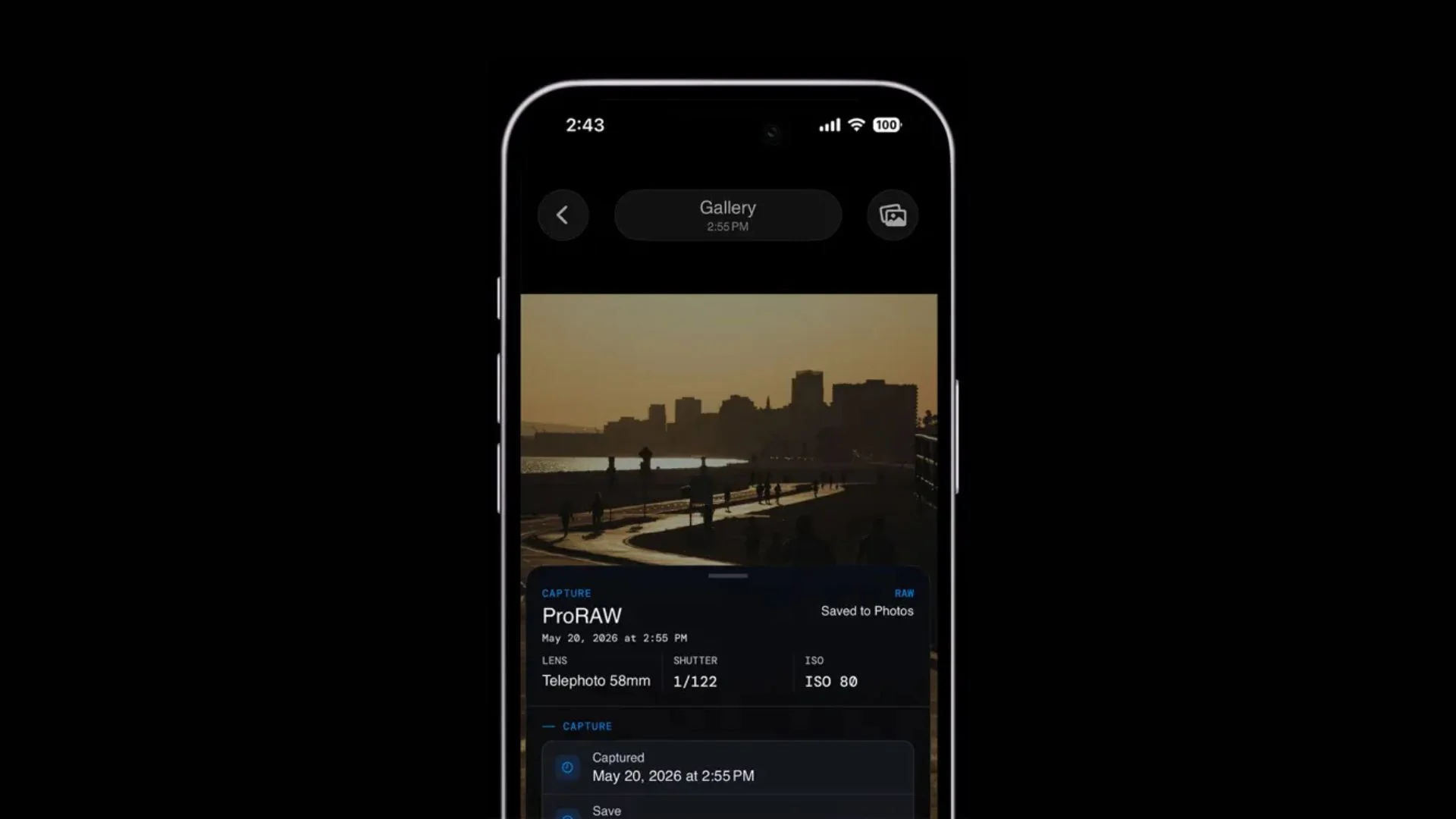
Every capture lands in an internal gallery, which organizes your files and acts as an archive separate from the system Photos app. This keeps your test frames and keepers in one place while you work a scene.
Swiping up on any image opens a detailed metadata view. Specifically, it shows the exact manual settings, the processing mode, and the lens profile used for the shot. For photographers learning the basics, this record turns each frame into a reference you study afterward.
Price, Compatibility, and Availability
The SANDMARC Camera App is available now as a free download on the Apple App Store. It requires an iPhone running iOS 16.0 or later, so most recent models qualify. Because it costs nothing, the barrier to testing it is low even if you do not own a SANDMARC lens.
At launch, the app handles photography only. It does not record video yet, and it does not support the Anamorphic Lens. SANDMARC has confirmed a video feature is on the roadmap, though the company has not named a release date.
For now, the free price and the deep manual toolset make this iPhone camera app an easy one to try. Head to the App Store to download the SANDMARC Camera App and pair it with your existing iPhone kit.
Frequently Asked Questions
What is the SANDMARC Camera App?
It is a free iPhone camera app from SANDMARC built around the company’s add-on lenses. The app adds manual exposure, RAW and ProRAW capture, and monitoring tools like histograms and focus peaking on top of the standard iPhone camera.
Is the SANDMARC Camera App free?
Yes. The app is a free download on the Apple App Store. SANDMARC has not announced any paid tier or subscription at launch, so every manual and RAW feature is available at no cost.
Does the app shoot RAW?
Yes. The app offers both RAW and ProRAW modes. RAW captures direct sensor data for maximum editing latitude, while ProRAW blends raw data with Apple’s computational processing for a balance of flexibility and convenience.
Does the app work without SANDMARC lenses?
Yes. The app runs as a full manual camera app on a compatible iPhone with no accessory attached. When you mount a SANDMARC lens, the lens selection tool pairs the software to your optic for a tailored result.
What iPhones does the app support?
The app requires an iPhone running iOS 16.0 or later. This range covers most recent models, so the majority of current iPhone owners qualify to install and run it.
Does the app record video?
No, not at launch. This release focuses on stills only and does not support video capture or the Anamorphic Lens. SANDMARC says a video feature is coming, though no date has been set.

