


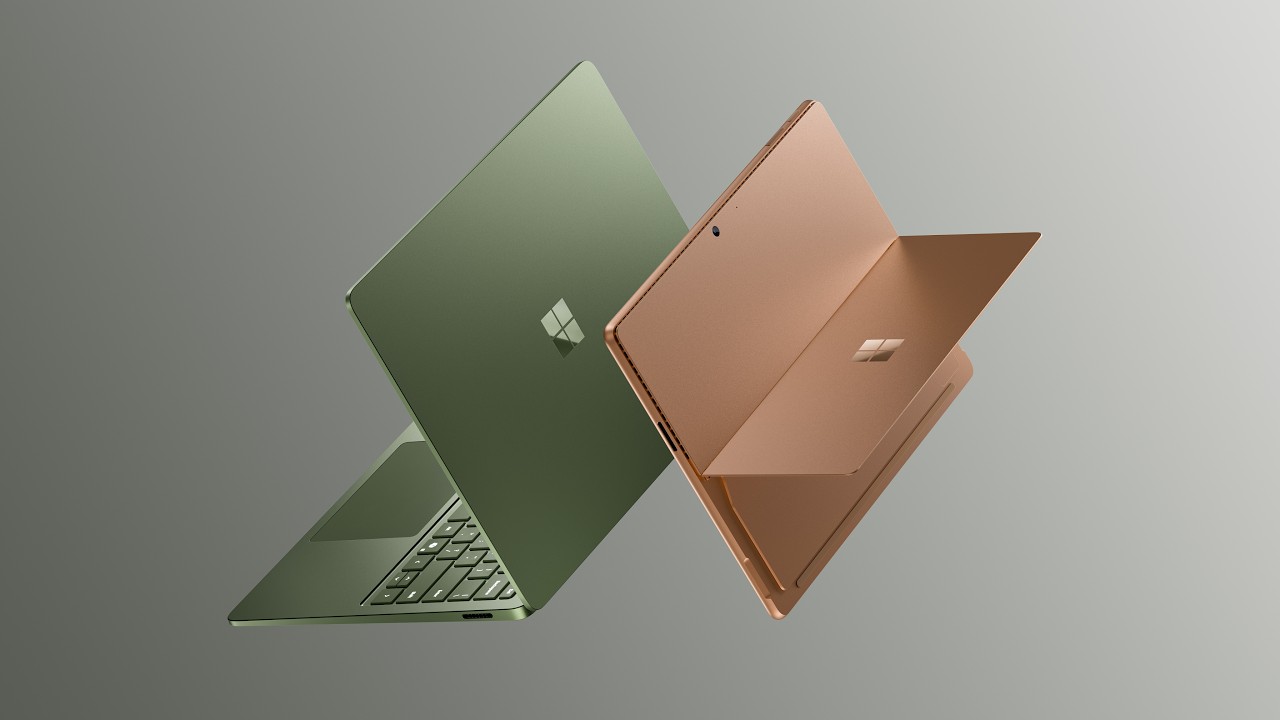
Quick Facts:
- Product: Microsoft Surface Pro 12 and Surface Laptop 8
- Chip: Snapdragon X2 Plus (10-core) or X2 Elite (12-core)
- Graphics: Up to 53% faster than first-gen Snapdragon X
- Battery: Up to 15.5 hours on the slate; up to 20 hours on the clamshell
- Base config: 16GB RAM, with 256GB or 512GB SSD options
- Price: Tablet from $1,499; clamshell from $1,599
- Availability: Consumer orders now; business models July 14, 2026
- Best for: Photographers who want a light Windows field-editing device
8 min read
In This Article
A Photographer’s Overview of the Surface Pro 12
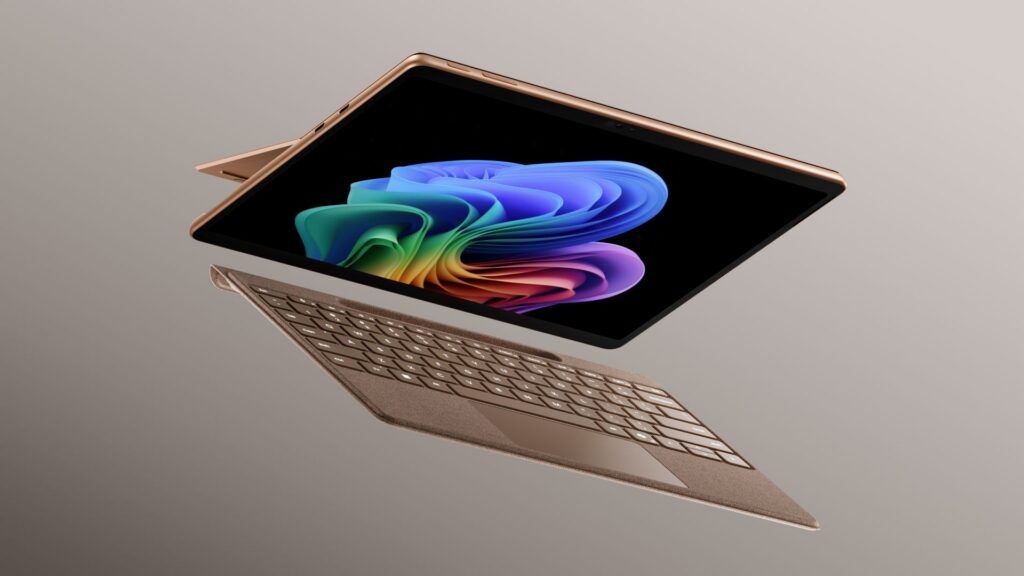
Microsoft has launched two new machines, both running Qualcomm’s Snapdragon X2 chip. For photographers, the practical question stands out: does a thin Windows tablet work as a real field-editing rig? The Surface Pro 12 starts at $1,499 with 16GB of RAM and a 512GB SSD. Below, you get a clear read on the performance, the app support, and the trade-offs photographers face on location.
First, the headline numbers. Microsoft claims the new chips run up to 53% faster graphics than the first-generation Snapdragon X. Battery also climbs, with up to 15.5 hours rated for the slate. However, the price climbs too, sitting several hundred dollars above the previous models. Therefore, the value case depends on how and where you edit.
Who should look closely? Travel, event, and documentary photographers who edit between shoots will care most. In addition, a tablet weighs less than a laptop and pairs well with a pen. Meanwhile, studio shooters tethering to a fixed workstation gain little here. Match the device to your shooting style, not to the spec sheet alone.
Specs at a Glance
The table below lists the details Microsoft confirmed at launch. Use it as a quick reference while you read.
| Specification | Details |
|---|---|
| Chip options | Snapdragon X2 Plus (10-core) or X2 Elite (12-core) |
| Graphics gain | Up to 53% faster than first-gen Snapdragon X |
| Base memory | 16GB RAM, 256GB or 512GB SSD |
| Battery (tablet) | Up to 15.5 hours |
| Battery (clamshell) | Up to 20 hours (13.8-inch) |
| Starting price | $1,499 tablet; $1,599 clamshell |
| Availability | Consumer now; business models July 14, 2026 |
The Surface Pro 12 as a Field-Editing Tablet
The slate splits the difference between a tablet and a laptop. You detach the keyboard for a lighter device, then reattach it for typing-heavy work. For example, a travel photographer edits on a plane tray, a hotel desk, or a car hood. Because the chassis stays thin, it slides into a camera bag beside a body and two lenses.
On-location work also leans on fast offload. After a shoot, you copy cards to external storage for offloading cards, then cull and rate selects. The base SSD fills quickly with raw files, so a portable drive becomes essential. Still, the form factor handles the core loop of import, cull, and light edit without strain.
Photo Apps on Windows on ARM
Here is the part deciding everything. The tablet runs Windows on ARM, so app support matters more than raw speed. Fortunately, the big editors now run natively. For example, Adobe ships native Windows on ARM builds of Photoshop and Lightroom, and Capture One added a native Snapdragon build. As a result, your main catalog and develop work avoids an emulation penalty.
However, gaps remain. DxO PhotoLab still lists no support for ARM-based Windows, so PhotoLab users should pause here. In addition, some older plugins and niche tools run only through emulation, which costs speed. Before you switch, check every app and plugin in the latest Photoshop and Lightroom workflow updates against the ARM list. Specifically, confirm your exact versions, not the brand names alone.
Battery on a Long Shoot

Endurance is where Snapdragon X2 earns its keep. Microsoft rates the Surface Pro 12 at up to 15.5 hours, while the clamshell reaches 20 hours on the 13.8-inch model. For a wedding or a full travel day, those numbers mean editing between events without a charger. Because ARM chips sip power, the slate also stays cool and quiet during long culls.
Real figures will sit below the rating, as always. Raw exports and heavy AI masking drain any battery faster than video playback. Even so, a realistic 8 to 10 hours of editing covers most field days. Therefore, the endurance story is a genuine reason to consider Snapdragon over an Intel tablet for travel.
Display and Color Accuracy for Editing
Screen quality decides how much you trust your edits. Surface PixelSense panels look sharp and bright, with strong contrast and a tall 3:2 shape suited to photos. For sRGB web delivery, the PixelSense display handles color well. However, these screens target sRGB rather than the wider Adobe RGB gamut many print workflows want.
For careful color work, therefore, calibrate the panel with a hardware device before you trust it. A factory screen drifts over time, and field lighting fools your eyes. Understanding how color reads to a viewer matters as much as the panel itself. Treat the slate as a strong field screen, then proof for print on a calibrated desktop monitor. For reference, you will find full specs on the official Microsoft Surface page.
Pen, Touch, and Culling
Touch and pen input change how you edit on a slate. For instance, with the Slim Pen, you brush masks and dodge or burn by hand, much like working on paper. Similarly, for culling, tapping flags and stars beats arrow keys for many photographers. Because Lightroom supports touch gestures, pinch-to-zoom and swipe-to-rate feel natural.
However, precision still favors a mouse for some tasks. For frequency-separation skin retouching or fine clone work, a Bluetooth mouse beats the Slim Pen. Therefore, pack one if your edits go beyond global tone and culling. Used together, pen and mouse cover a full editing session away from the desk.
Surface Pro 12 vs. Surface Laptop 8: Which Should Photographers Pick?
Both devices share the Snapdragon X2 chip, so performance runs close. Instead, the split comes down to form factor. The tablet wins for travel, sketching, and tight bags, while the Surface Laptop 8 wins for typing, longer battery, and a fixed editing posture. For a documentary or travel shooter, therefore, the slate flexes better.
Price also nudges the choice. The tablet starts at $1,499, yet a usable keyboard and pen add to the total. By contrast, the clamshell starts at $1,599 with the keyboard built in. As a result, once you add accessories, the real-world gap narrows. Budget for the full kit, not the headline figure.
Endurance splits them too. The Surface Laptop 8 reaches 20 hours, while the slate rates 15.5 hours. For all-day shoots far from power, the difference counts. Weigh portability against staying power based on your typical day.
Final Thoughts
The Surface Pro 12 makes a real case as a field-editing rig for photographers. Native Photoshop, Lightroom, and Capture One remove the old Windows on ARM excuse, and the long battery suits days away from power. For travel and event shooters, the light body and pen input are genuine advantages.
The trade-offs stay clear, though. DxO PhotoLab users and anyone leaning on niche plugins should verify ARM support first. The display favors sRGB, so print proofing belongs on a calibrated desktop. Price also climbs, so the value math tightens once you add a keyboard and pen.
On balance, the device fits a specific photographer well. If you shoot on location and edit in Adobe or Capture One, the slate earns a spot in the bag. If you stay desk-bound or live in DxO, a traditional laptop still serves you better.
One final recommendation guides the choice. Test your exact apps and plugins on a Snapdragon machine before committing, ideally in a store or a return window. If everything runs, buy with confidence; if a key tool stalls, pick the Surface Laptop 8 or an Intel alternative. Match the tool to your real workflow, and the decision gets simple.
Frequently Asked Questions
Is the Surface Pro 12 good for photo editing?
Yes, for field work in Adobe and Capture One, which now run natively on Snapdragon X2. However, DxO PhotoLab lacks ARM support, and the screen favors sRGB over Adobe RGB. Calibrate the panel, then proof for print on a desktop monitor.
Does Lightroom run on Windows on ARM?
Yes. Adobe ships native Windows on ARM builds of Lightroom and Photoshop, so they run without an emulation penalty. Capture One also added a native Snapdragon build. Always confirm your exact app versions before switching.
How long does the Surface Pro 12 battery last?
Microsoft rates it at up to 15.5 hours, while the clamshell reaches 20 hours. Real editing with exports and AI masking lands lower, around 8 to 10 hours. The range still covers most field days.
How much does the Surface Pro 12 cost?
The tablet starts at $1,499 with 16GB of RAM and a 512GB SSD. A keyboard and Slim Pen add to the total. The Surface Laptop 8 starts at $1,599 with the keyboard built in.
Tablet or clamshell for photographers?
Pick the slate for travel, pen input, and a lighter bag. Choose the clamshell for longer battery, easier typing, and a built-in keyboard. Both share the same Snapdragon X2 performance.

